

This aluminum led channel diffuser guide no more visible dots shows you exactly how to get smooth, dot-free LED strips.
- Aluminum LED Channel Diffuser Guide: How It Kills the Dots
- Choosing the Right Channel Profile
- Diffuser Types: Milky vs. Frosted vs. Clear
- Strip Density Matters Too
- Installation: Step by Step
- Step 1: Measure and Cut the Channel
- Step 2: Mount the Channel
- Step 3: Install the Strip and Wire It
- Step 4: Snap On the Diffuser and End Caps
- The Heat Benefit Nobody Talks About
- Where Channels Make the Biggest Difference
- Common Mistakes
- Maintenance and Long-Term Care
- FAQs
- Do I need a diffuser if my strip is hidden?
- How much light do I lose through a milky diffuser?
- Can I add a channel to strips I’ve already installed?
- What’s the difference between U-channel and corner channel?
- Are expensive channels worth it over cheap ones?
- Can I cut the diffuser cover to length?
- Do diffusers work with RGB color-changing strips?
- Conclusion
This aluminum LED channel diffuser guide shows how to get no more visible dots. A frosted cover spreads each diode’s light into a smooth line. Mount the strip inside, snap the diffuser on, and hot spots disappear. It’s the biggest upgrade for any visible LED install.
Those bright dots are the telltale sign of a cheap install. You see them under kitchen cabinets, along staircases, behind TVs. Each LED glares as a separate point instead of blending into one clean line of light. A diffuser channel fixes it completely, and as a bonus, it cools the strip and protects it from dust.
Aluminum LED Channel Diffuser Guide: How It Kills the Dots
First, the trick is distance and diffusion. The diffuser cover sits a half inch or more above the LED strip. Light from each diode spreads out as it travels that gap, and the frosted cover scatters it further. By the time the light exits, the individual sources have blended into one even glow.
However, this only works if the channel is deep enough and the diffuser is frosted enough. A shallow channel with a clear cover does almost nothing. The magic combination is a deep channel profile plus a milky, opal, or frosted diffuser. That pairing erases dots even on basic 30 LED-per-meter strips.
Choosing the Right Channel Profile
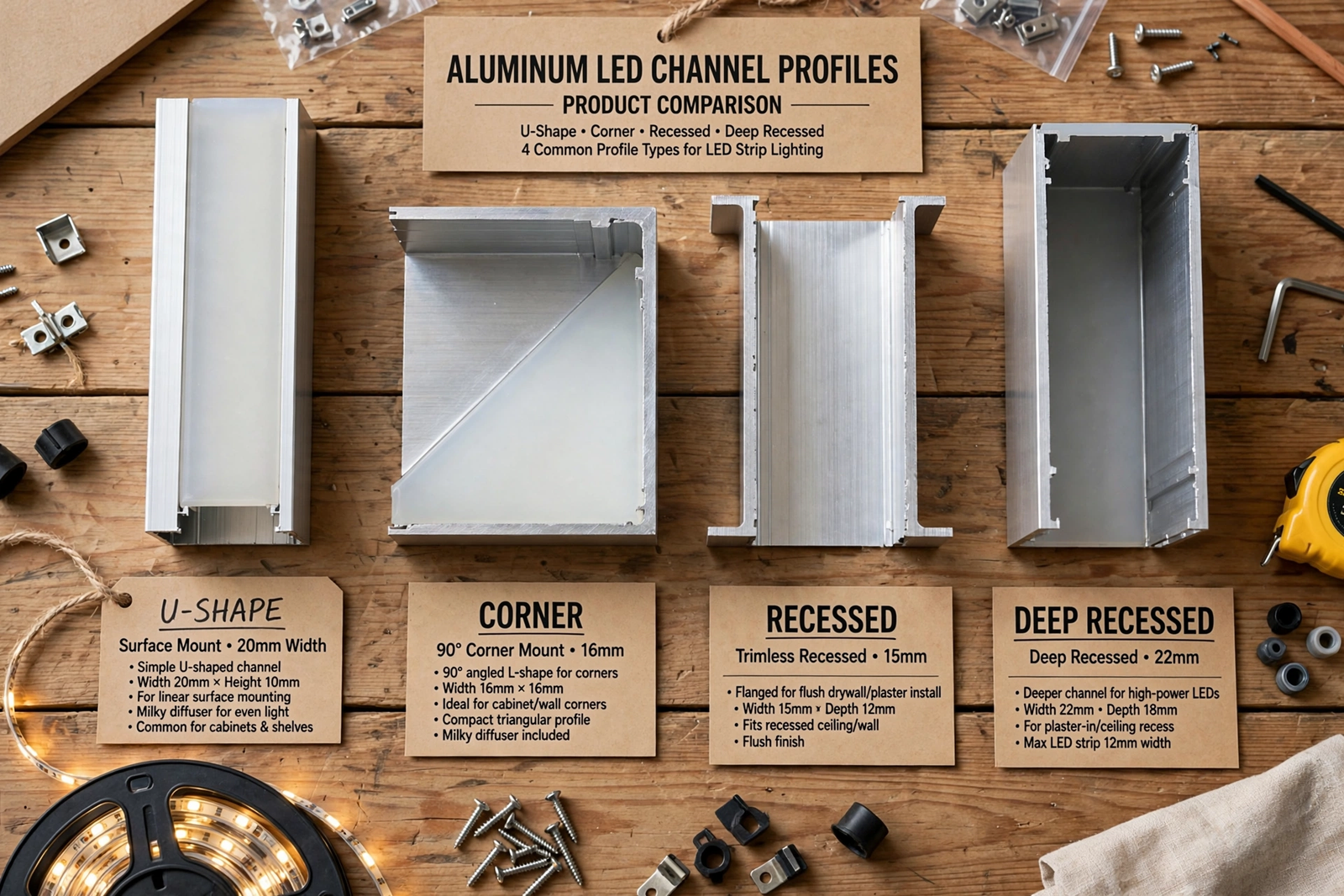
Meanwhile, channels come in several shapes, and the shape matters for both looks and diffusion. The U-shaped surface-mount channel is the workhorse: it screws flat to any surface and works for under-cabinet, shelf, and cove lighting. It’s the one to buy if you’re unsure.
In addition, corner channels have a 45-degree angled face for mounting where walls meet ceilings or under cabinet lips. They aim the light outward instead of straight down, which looks better in coves. Recessed channels sit flush inside a routed groove for a built-in look, but they need woodworking.
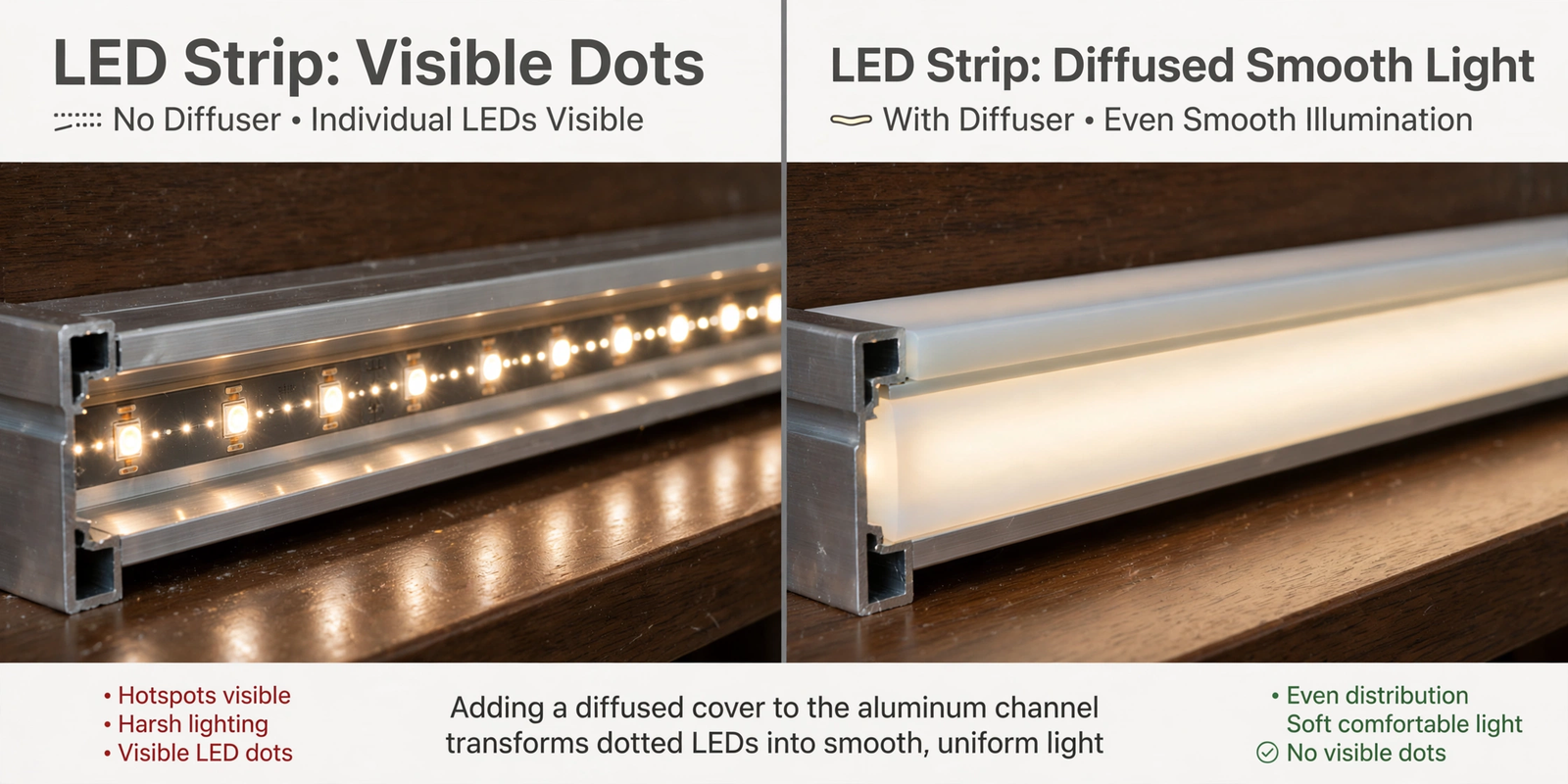
Therefore, for dot elimination specifically, deeper is better. A deep U-channel with a tall diffuser gives the light more room to blend. Shallow channels work fine with high-density strips (120 LEDs per meter or more) but struggle with sparse strips. Match the channel depth to your strip density.
Diffuser Types: Milky vs. Frosted vs. Clear
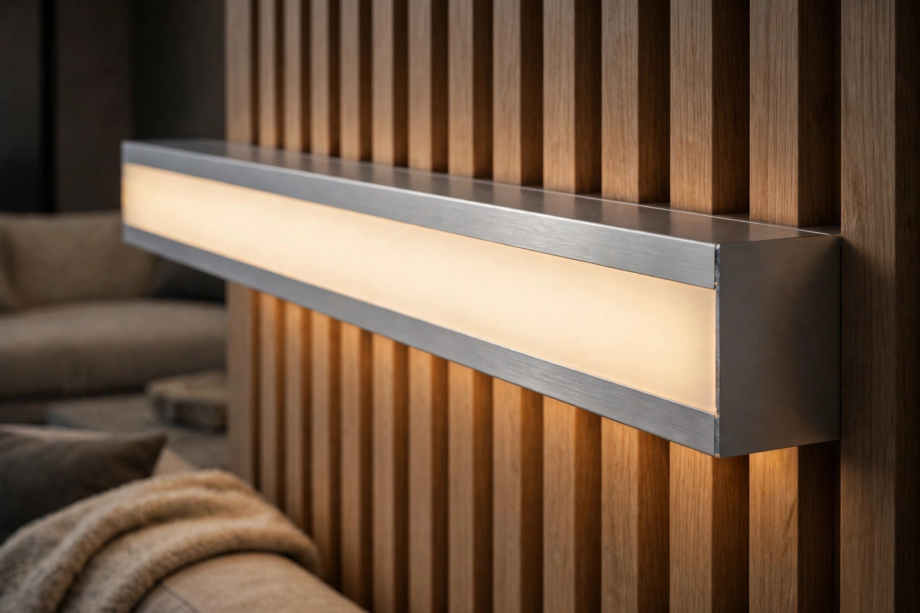
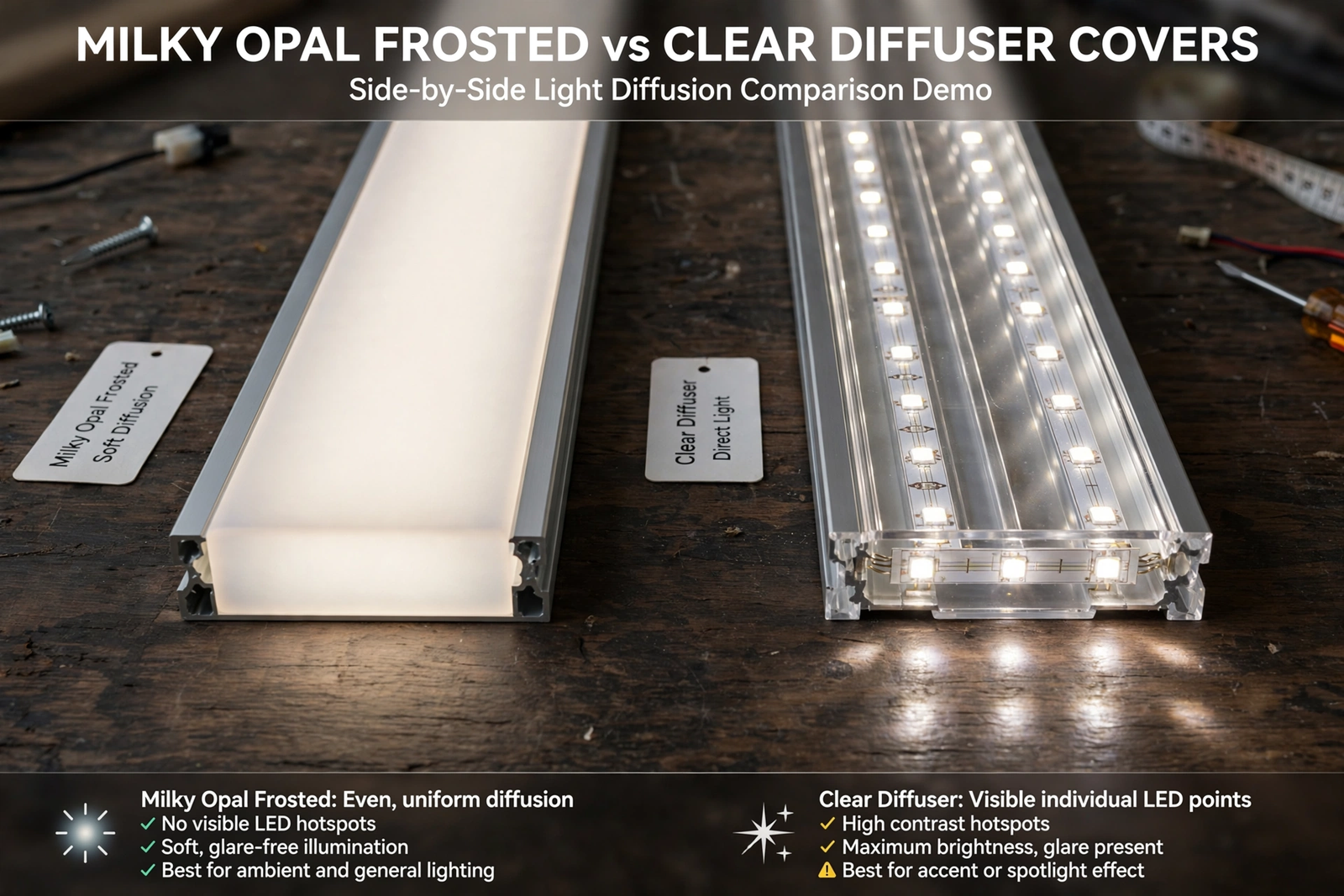
Second, not all diffuser covers are equal. Milky or opal diffusers are the most opaque and give the smoothest, most dot-free result. They cut total light output by about 30 percent, but what comes through is perfectly even. For ambient lighting where you look directly at the strip, milky is the answer.
On the other hand, frosted diffusers are a middle ground. They soften the dots significantly while passing more light than milky covers. On high-density strips, a frosted diffuser can look essentially dot-free. Clear covers offer no diffusion at all; they just protect the strip from dust. Don’t buy clear if dots are your problem.
Table: Diffuser Cover Comparison
| Cover Type | Dot Reduction | Light Loss | Best For |
|---|---|---|---|
| Milky / opal | Complete | About 30% | Visible installs, ambient lighting |
| Frosted | Very good | About 15% | High-density strips, task lighting |
| Clear | None | Minimal | Dust protection only |
Strip Density Matters Too
As a result, the diffuser does half the work; the strip does the other half. A 30 LED-per-meter strip has big gaps between diodes, and even a good diffuser struggles to fully blend them. A 60 LED-per-meter strip is noticeably better. At 120 or more per meter, dots basically vanish with any frosted cover.
Consequently, if you’re buying new strips for a channel install, get the highest density your budget allows. The price difference between 60 and 120 LEDs per meter is small, but the visual difference through a diffuser is huge. High density plus a milky diffuser gives that premium neon-tube look. For ready-made options, spotless diffuser channel kits are designed specifically for dot-free results.
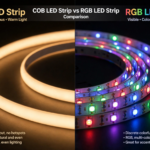
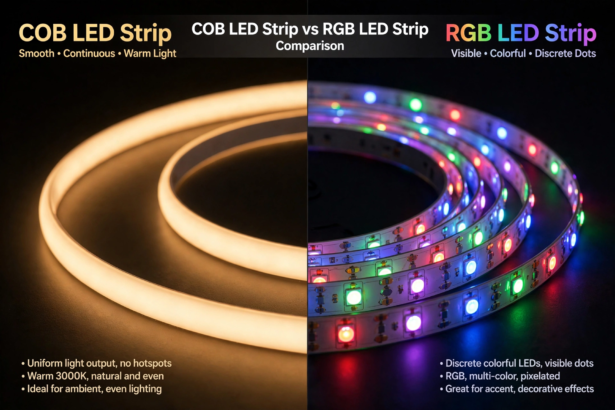
COB strips take this to the extreme. They have hundreds of tiny diodes per meter under a phosphor coating, producing a continuous line of light with no dots at all, even without a diffuser. In a channel with a milky cover, COB strips look like a solid bar of light.
Installation: Step by Step
Step 1: Measure and Cut the Channel
Next, measure your run and cut the aluminum channel with a hacksaw or miter saw. Aluminum cuts easily, but deburr the cut edge with a file so it doesn’t scratch the strip. Cut the diffuser cover to the same length with the same saw.
Cut the LED strip to match, only at the marked cut lines. The strip should fit inside the channel with a little room at each end for the end caps and wiring.
Step 2: Mount the Channel
Then, most channels come with metal mounting clips. Screw the clips to your surface every 18 to 24 inches, then snap the channel in. For a cleaner look, you can screw directly through the channel base, but clips make future removal easier.
On surfaces you can’t screw into, 3M VHB tape holds aluminum channels well. Clean both surfaces with alcohol first. For ceiling mounts, screws are safer; don’t trust tape overhead with a metal channel.
Step 3: Install the Strip and Wire It
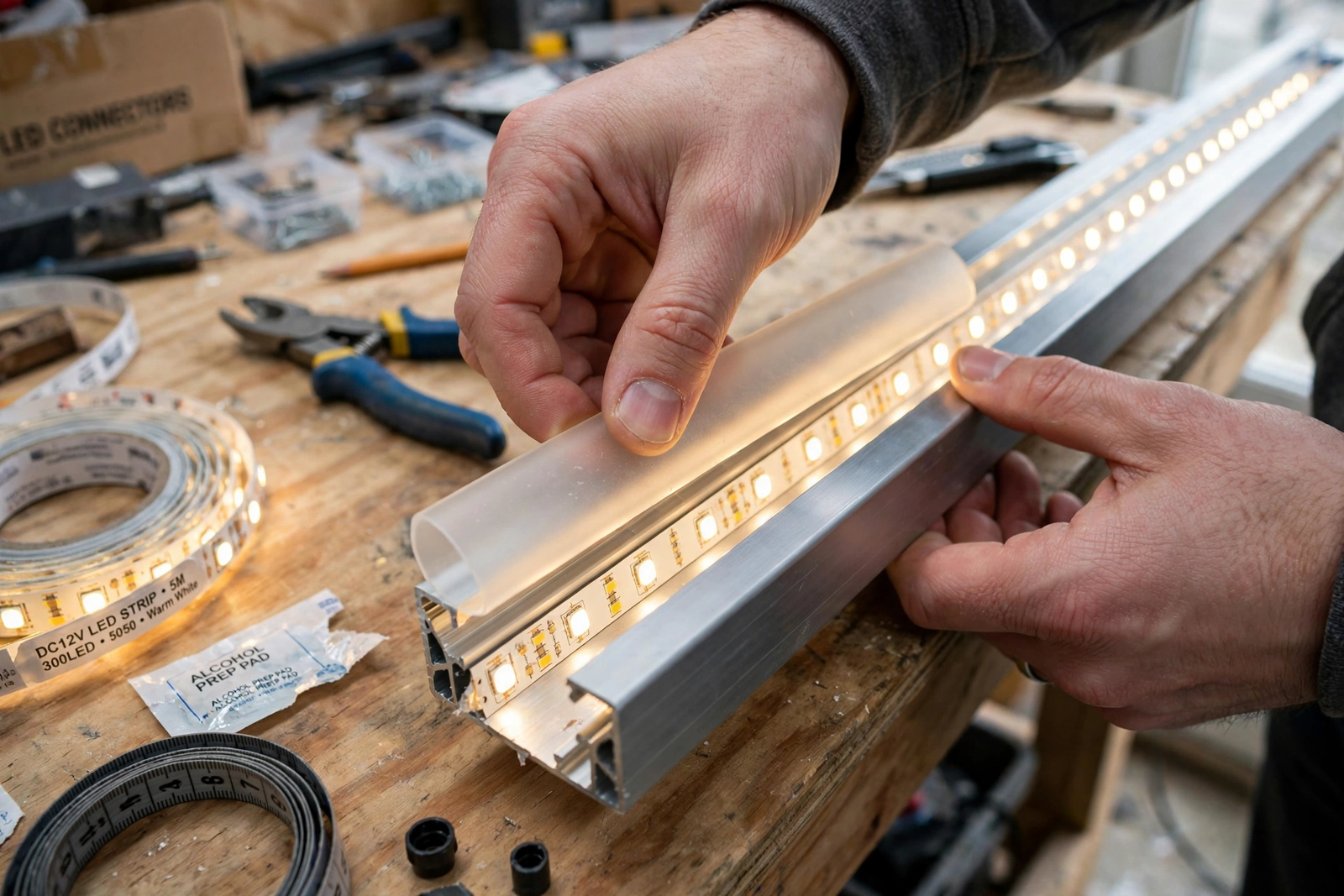
Afterward, peel the adhesive backing and press the strip into the channel base. The flat aluminum gives the adhesive a perfect surface, far better than any wall. Run your wires out through the end cap or a drilled hole.
Test the strip before snapping the diffuser on. It’s much easier to fix a bad connection with the cover off. Check for even brightness along the whole run and correct colors.
Step 4: Snap On the Diffuser and End Caps
Finally, press the diffuser cover into the channel starting from one end. It should click in along its length. Install the end caps, feeding wires through the cap holes where needed. Step back and look at your dot-free line of light.
The Heat Benefit Nobody Talks About
In fact, here’s something most guides skip: the aluminum channel is a heatsink. LED strips run cooler in a channel than stuck to a wall, and cooler LEDs last longer. A strip that might last 20,000 hours on a wall can push past 30,000 in a ventilated channel.
Specifically, this matters most for high-power strips. A 14-watt-per-meter strip generates real heat, and without somewhere for that heat to go, the adhesive fails and the LEDs degrade. The channel solves the peeling problem and the lifespan problem in one move. If your strips keep falling off the wall, a channel is the permanent answer.
Where Channels Make the Biggest Difference
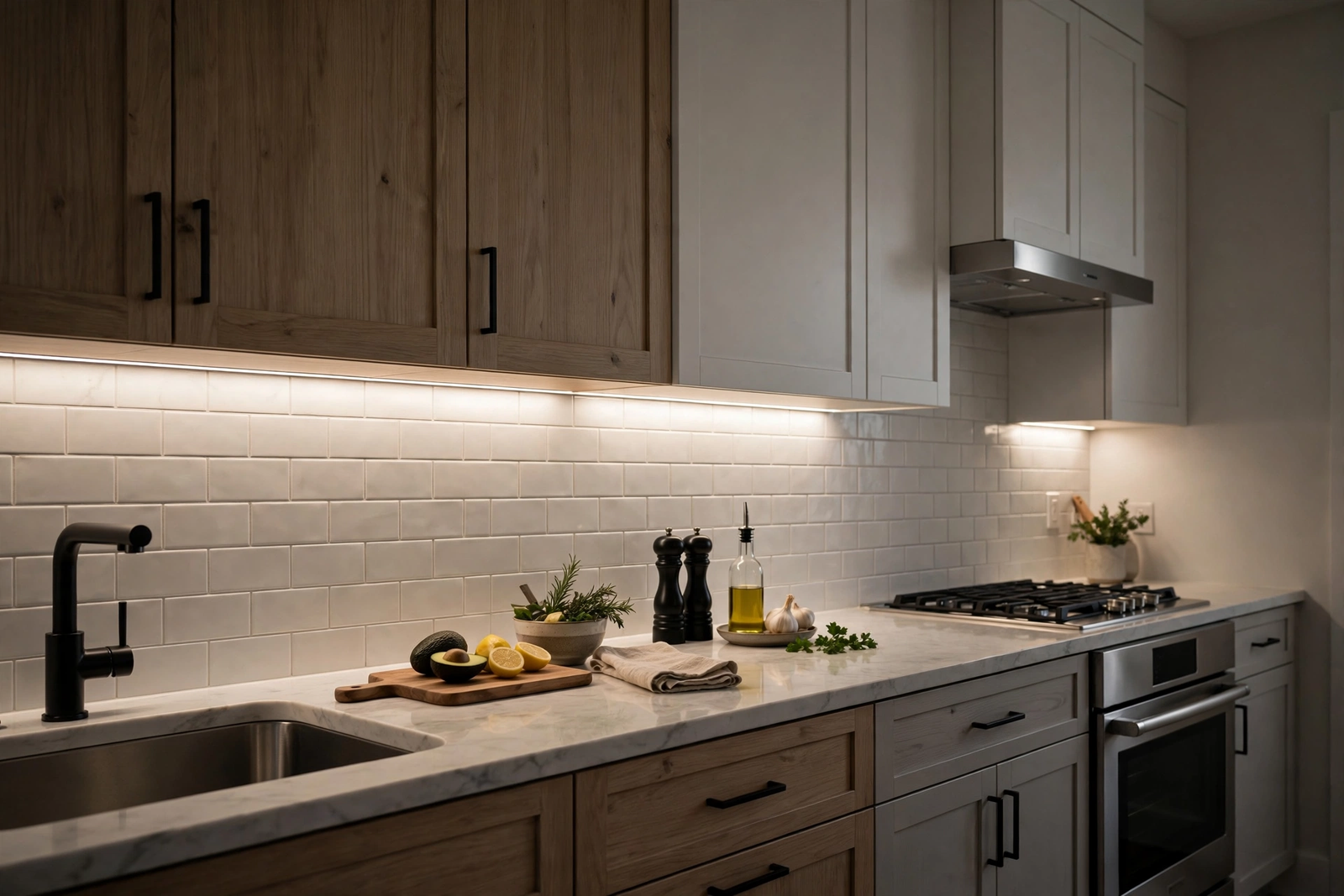
For example, under kitchen cabinets is the classic case. You’re looking right at the strip every time you cook, and dots reflecting off a glossy countertop look terrible. A channel with a milky diffuser turns it into a clean bar of task lighting.
Also, staircase lighting is another. Dots on stairs create harsh glare in your eyes as you walk down. Diffused channels give smooth, safe illumination. Behind TVs and monitors, diffusion prevents individual LEDs from reflecting as bright spots on the wall.
For cove lighting where the strip is hidden and only the glow is visible, channels matter less for dots but still help with heat and give a cleaner light line on the ceiling. Even hidden installs benefit.
Common Mistakes
However, buying a channel that’s too narrow for your strip is the classic error. Measure your strip width before ordering. Most strips are 10mm or 12mm wide; the channel interior needs to be at least that wide plus a millimeter of clearance.
Another mistake: installing the strip, snapping the diffuser on, then realizing a section doesn’t light. Always test with the cover off. And don’t forget end caps. They seem cosmetic, but they keep dust out and prevent the diffuser from sliding.
Maintenance and Long-Term Care
Aluminum channels are low maintenance, but not zero maintenance. Dust accumulates on the diffuser over time, dimming the output gradually. You won’t notice it happening because it’s so gradual. Wipe the diffuser with a dry microfiber cloth every six months to keep the light output at full strength.
Check the end caps annually. They can work loose from thermal cycling, especially in kitchens where temperatures swing. A loose end cap lets dust into the channel, which settles on the strip and is much harder to clean. If a cap is loose, a tiny dot of silicone holds it without making future removal impossible.
The aluminum itself needs no care indoors. Outdoors, anodized channels resist corrosion well, but check mounting screws yearly for rust if you’re in a coastal area. Stainless steel screws eliminate this concern entirely and cost pennies more.
FAQs
Do I need a diffuser if my strip is hidden?
If you truly can’t see the strip directly or its reflection, a diffuser is optional. Cove lighting behind a valance often looks fine without one. But the channel itself is still worth it for heat dissipation and mounting. You can always add the diffuser cover later since most channels sell covers separately. For any visible install, the diffuser is essential.
How much light do I lose through a milky diffuser?
Expect about 25 to 30 percent less measured brightness compared to a bare strip. In practice, it looks like less loss because the light is spread evenly instead of concentrated in hot spots. If you need maximum brightness for task lighting, size your strip one step brighter than you think you need, or use a frosted cover instead of milky.
Can I add a channel to strips I’ve already installed?
Yes. Peel the strip off the wall, clean the adhesive residue off its back with alcohol, and mount it in the channel. You’ll need fresh adhesive or new VHB tape since the old backing won’t re-stick well. It’s a good weekend project and the visual upgrade is dramatic. Many people do this after living with dots for a year.
What’s the difference between U-channel and corner channel?
U-channels mount flat and shine straight out from the surface. Corner channels mount at 45 degrees in corners and aim light diagonally. Use U-channels under cabinets and on flat surfaces. Use corner channels where walls meet ceilings, under cabinet lips, or along stair edges where you want the light thrown outward rather than straight down.
Are expensive channels worth it over cheap ones?
Up to a point. The aluminum extrusion quality matters: cheap channels can be thin, bend easily, and have diffusers that yellow in a year. Mid-range channels from established brands hit the sweet spot. You don’t need the priciest architectural grade for a home install, but avoid the absolute cheapest no-name kits with paper-thin diffusers.
Can I cut the diffuser cover to length?
Yes, cut it with the same saw you use for the channel. A fine-tooth hacksaw gives the cleanest edge on plastic diffusers. Support the cover while cutting so it doesn’t crack. File the cut edge smooth so it slides into the channel end caps cleanly. Measure twice; diffuser covers are harder to find sold separately than channels.
Do diffusers work with RGB color-changing strips?
They work beautifully. In fact, RGB strips benefit the most because the diffuser blends the red, green, and blue diodes into clean mixed colors. Without diffusion, you can see separate red, green, and blue dots at close range, especially on pastel colors. A milky diffuser makes color mixing look professional. If you’re running smart RGB strips, check whether your strip works with your smart home platform before planning the install.
Conclusion
An aluminum channel with a frosted diffuser is the difference between an install that looks DIY and one that looks professional. The dots disappear, the strip runs cooler and lasts longer, and mounting becomes permanent. For any LED strip you’ll actually look at, it’s the best money in the project.
Next step: measure your strip width, order a deep U-channel with a milky diffuser, and plan the upgrade. You’ll wonder why you waited. The transformation from dotted to perfectly even is genuinely dramatic.