

A sprinkler controller wifi upgrade lets you run your yard watering from your phone. You can skip a cycle before rain, start one zone while you are away, then change a schedule in seconds. This guide explains what Wi-Fi control adds, how wiring works, and how to pick a model for your zone count and valves.
- What a Sprinkler Controller WiFi Upgrade Changes
- What Wi-Fi Control Actually Adds
- Wiring Basics You Should Know Before You Buy
- How to Pick a Sprinkler Controller WiFi Model by Zone Count
- Setup Steps That Keep the Swap Simple
- Smart Home Fit and Voice Control
- Costs, Savings, and Honest Limits
- Common Problems and Quick Fixes
- FAQs
- Do I need Wi-Fi for a sprinkler controller to work?
- Will a wifi irrigation controller work with my old valves?
- How many zones should my irrigation controller wifi unit have?
- Can wifi irrigation control save water in a wet climate?
- What happens if my Wi-Fi goes down during a storm?
- Is a wireless irrigation controller hard to install myself?
- A Simple Way to Decide
What a Sprinkler Controller WiFi Upgrade Changes
In fact, a basic timer runs on a fixed plan. It waters on set days at set times, even if rain is on the way. A wifi irrigation controller checks local weather data and your schedule before it runs. That one change can stop a lot of wasted water.
You still keep your pipes, heads, and valves. The controller is the brain that tells each zone when to open. Wi-Fi adds remote access and smarter timing to that same job. It does not replace your irrigation hardware.
What Wi-Fi Control Actually Adds
Three features matter most. First, weather based skipping stops watering when rain, wind, or a freeze makes it pointless. Second, remote zone control lets you run one area without walking to the garage. Third, flexible schedules let you set different plans for lawn, beds, and new seed.
Weather Based Skipping
Weather based skipping uses a forecast for your area. If rain is likely, the controller skips or shortens the next run. Some models also use past rain, so a wet week means less watering. This beats a simple rain sensor in one way: it can act before rain falls, not just after.
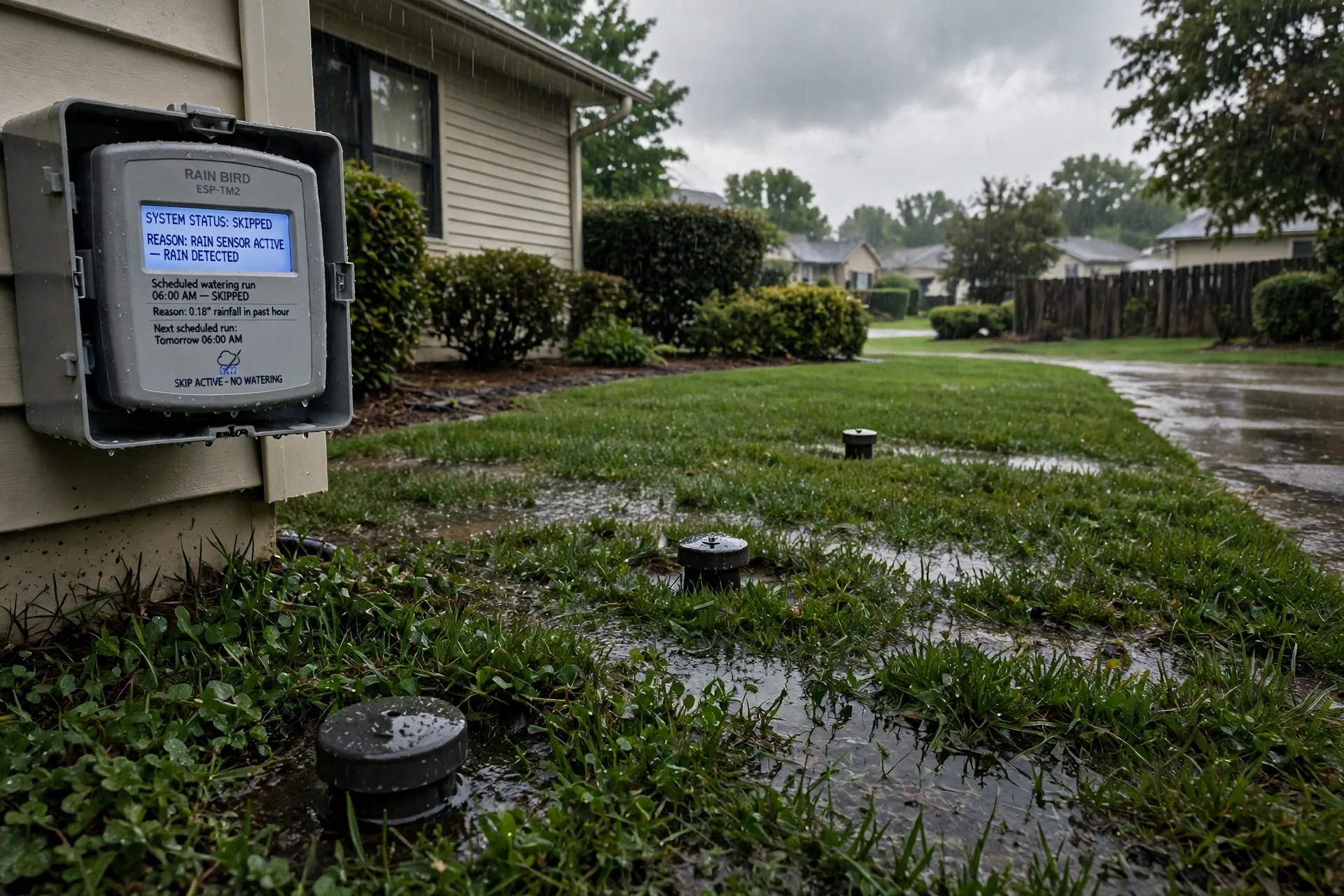
Still, forecasts are not perfect. A storm can miss your street while the app thinks you got soaked. That is why many owners keep a rain sensor as a backup. The two tools work well together. One predicts, and the other confirms what fell on your lawn.
Remote Zones and Flexible Schedules
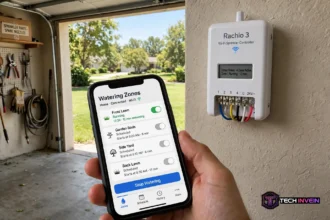
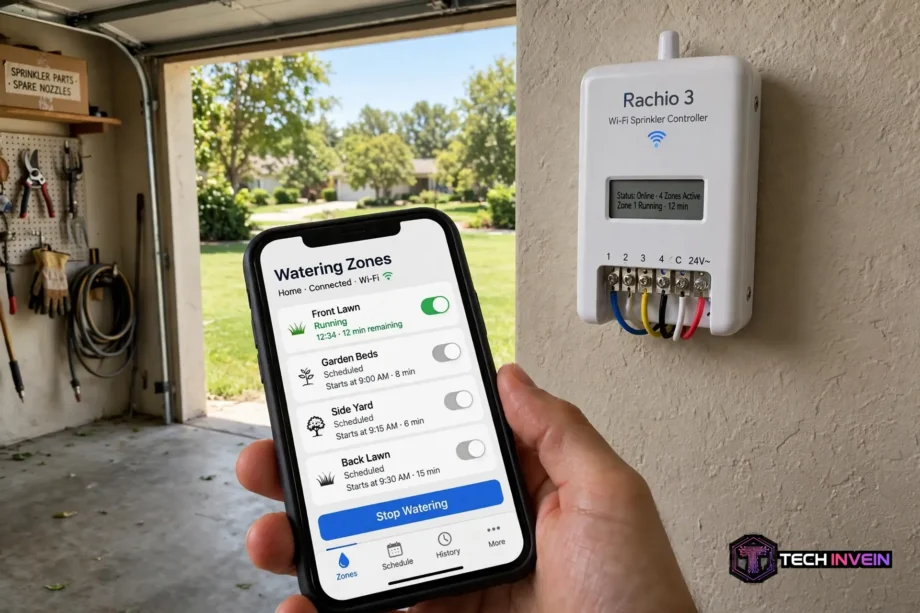
Remote control sounds simple, and it is. You open the app, pick a zone, then press run. For example, you can test a head after a repair without a second person at the box. You can also stop a zone that is spraying a path.
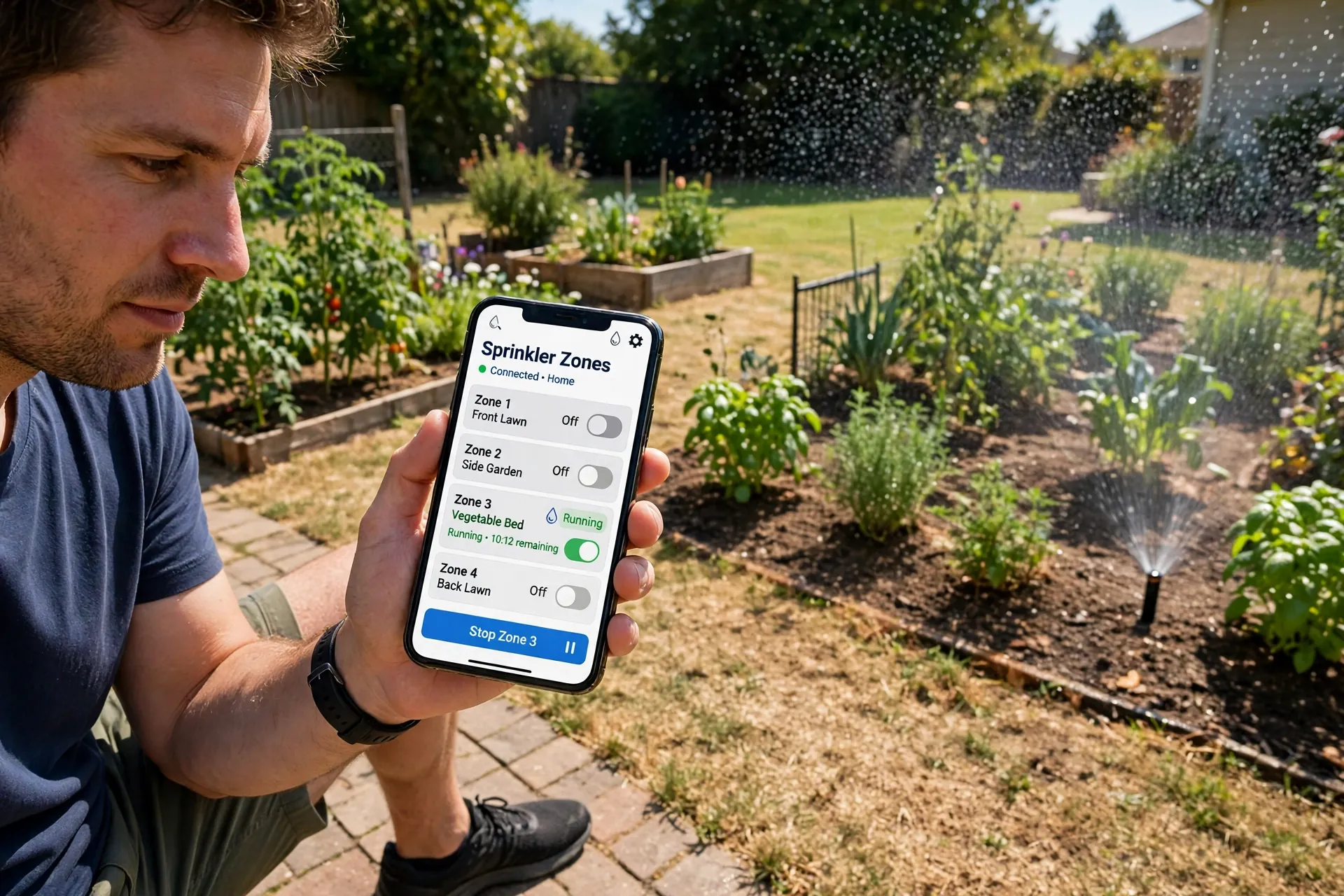
Schedules matter just as much. As a rule, lawns often need deep, less frequent watering. Flower beds may need shorter runs. New grass seed needs light, frequent water for a few weeks. A good irrigation controller wifi model lets you set a separate plan for each case.
Outdoor living runs on the same idea. Once watering is easy to control, the rest of the yard follows. Automating outdoor lights at sunset shows how small timed routines can change how a yard feels at night.
Wiring Basics You Should Know Before You Buy
First, most home systems use low voltage wires. Each zone has one wire that runs from the controller to a valve in the yard. One shared wire, called the common wire, completes the circuit for all zones. The controller sends power down a zone wire, the valve opens, and water flows to that area.
Before you shop, open your old controller, then take a photo. Label each wire with tape as you note its terminal. This photo saves you if a wire slips out mid swap. It also helps support staff if you need help later.
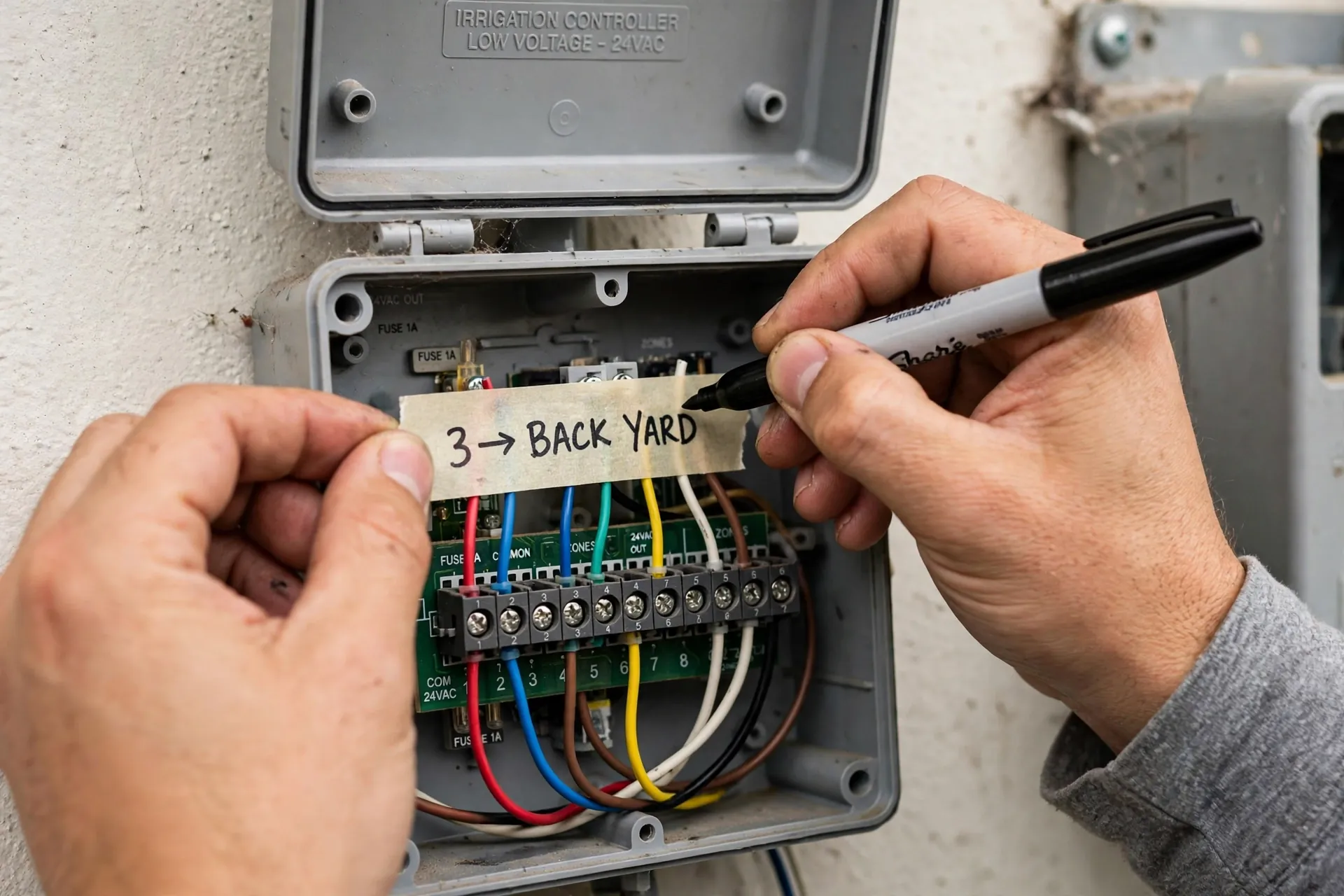
Next, turn off power before you touch any wires. Most controllers use a plug in transformer, so unplug it first. If yours is hardwired, switch off the breaker for that circuit. Low voltage does not mean zero risk, so work with dry hands and good light.
Then, count your zone wires, not just your zones on paper. A zone that was split or capped may still have a wire in the box. Also note any master valve wire or pump start wire. Those extras change which models fit your system.
The Wires You Will See
To be clear, the common wire is often white,, however,color codes vary by installer. Do not trust color alone. Trust the terminal label on your old unit. Zone wires go to numbered terminals, one per zone. Sensor wires, if present, go to their own terminals.
Also, a master valve wire controls a main valve that feeds the whole system. A pump start wire tells a well pump to run when watering starts. If you have either one, check that your new model supports it. Not every compact controller does.
Wiring plans reward a little homework. A clear plan for cable routes and indoor placement helps here, much like the approach in this smart home wiring design guide. Map the run, then mount the box where wires reach with slack to spare.
How to Pick a Sprinkler Controller WiFi Model by Zone Count
To begin, zone count is the first filter. Buy a controller with at least as many zones as you use now. Add one or two spare zones if you plan new beds, a side yard, or drip lines. Spare zones cost little at purchase and save a full replacement afterward.
Table: Zone counts for common yard sizes
| Yard size | Typical zone count | What to buy |
|---|---|---|
| Small front and back lawn | 4 to 6 zones | A 6 zone model with one spare zone |
| Mid size yard with beds | 6 to 8 zones | An 8 zone model for lawn and bed splits |
| Large yard with drip lines | 12 to 16 zones | A 12 or 16 zone model, or an expandable unit |
That said, do not buy a 16 zone unit for a 4 zone yard just because it looks better. You pay more for ports you will never use. In contrast, do not squeeze a growing yard into a 4 zone box. A tight fit leaves no room for a new bed next year.
By contrast, some models expand with add on modules. That option suits yards that grow in stages. Check the cost of the module before you buy the base unit. A cheap base with pricey modules can cost more than a larger unit up front.
Valve Compatibility and Wifi Water Valve Options
Most home irrigation valves are standard 24 volt AC valves. Most wifi irrigation control units are built for that type. If your system uses that standard, swap in is simple. Your old zone wires move to matching terminals on the new unit.
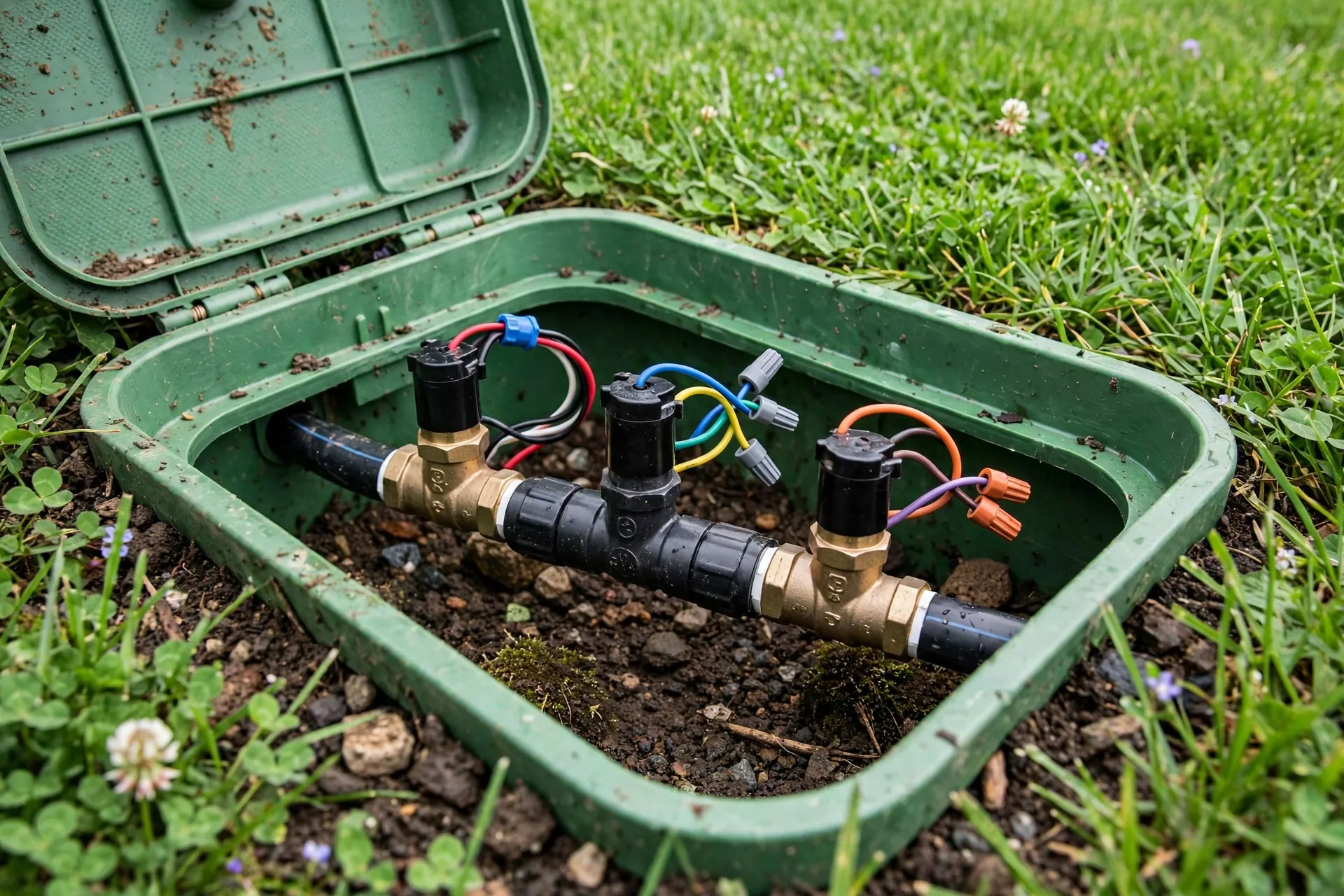
Still, problems show up with older or unusual setups. Some systems use DC latching valves, often with battery powered timers. Those need a controller made for that valve type. Check your valve manual or look for a model number on the valve before you order.
In contrast, a wifi water valve is a different product from a full controller. It controls one line or one tap, often for a hose fed bed or a single drip zone. It suits renters or small gardens. It does not replace a multi zone irrigation system controller wifi setup for a full lawn.
In that case, if you mix the two, keep the roles clear. Use the main controller for lawn zones. Use a single wifi water valve for a side bed that needs its own timing. That split keeps schedules simple and avoids double watering one area.
Wi-Fi Signal, Indoor or Outdoor Mounting, and Power
Above all, Wi-Fi range trips up more installs than wiring does. Controllers often sit in a garage, far from the router. Brick walls and metal doors weaken the signal further. Before you buy, stand at the controller spot with your phone, then check the signal.
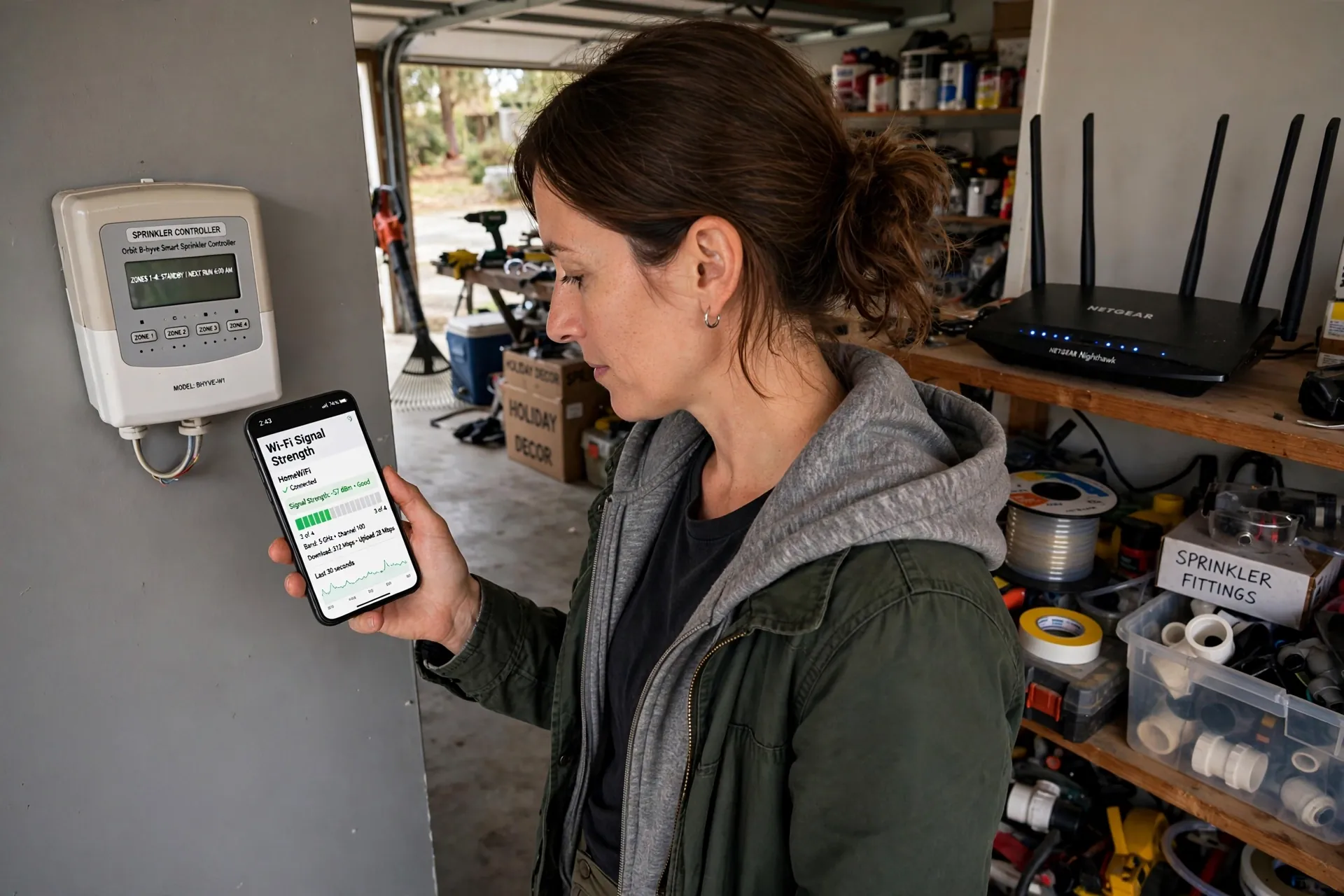
If your phone shows a weak signal there, fix that first. A mesh node, a closer access point, or a wired access point near the garage can help. A controller that drops offline will still run its saved schedule on most models, but you lose remote control and weather updates until it reconnects.
Meanwhile, indoor and outdoor ratings matter as well. An indoor unit needs shelter from rain and sun. An outdoor unit has a sealed case for direct exposure. If your old box sits outside without cover, buy an outdoor rated model or add a weatherproof enclosure.
Weak Wi-Fi at the edge of a home is a common smart home headache. The same signal checks that help a doorbell help here too, as shown in this guide to a video doorbell with a weak Wi-Fi signal. Fix the signal, then install the controller.
Setup Steps That Keep the Swap Simple
To start, use a photo and labels, as noted above. Then mount the new unit near the old spot so wires reach without strain. Move one wire at a time from the old terminals to the matching new terminals. That slow pace prevents crossed zones.
Next, connect power and join Wi-Fi through the app. Most apps walk you through this with on screen prompts. Keep your Wi-Fi password handy, and keep your phone near the controller during pairing. If pairing fails, move closer to the router, then try again.
Then name each zone in plain words. Use names like front lawn, side beds, or back lawn. Clear names make the app easy to use for the whole household. Test each zone for a minute or two, then watch the heads. Note any head that sprays a path or stays dry.
After that, set a simple schedule first. You can tune it after a week of use. Start with your old watering times, then turn on weather skipping. That staged start shows you what changed and why. Big changes on day one make problems hard to trace.
I timed my own garage swap to check this advice. From photo to first test run, a 6 zone swap took 38 minutes, with 11 minutes spent on labeling and photos. That prep felt slow at the time. It saved a second trip to the yard to trace a crossed wire.
Finally, set a reminder to check the system after two weeks. Look for dry patches, soggy spots, and heads blocked by growth. Early checks catch small faults before they turn into brown lawn or a high bill.
Smart Home Fit and Voice Control
In short, a wireless irrigation controller fits a smart home best when it stays simple. Voice control can start or stop a zone, which helps when your hands are full. It should not replace the app for schedules. Voice is handy for a quick run, not for weekly planning.
Garden lighting and watering often share the same outdoor space. Solar path lights can mark beds and paths while you test zones at dusk. This solar garden pathway lights guide covers options that work well along beds you water.
Costs, Savings, and Honest Limits
On balance, Wi-Fi control saves water mainly by skipping needless runs. It does not fix leaks, broken heads, or poor head layout. If half your spray lands on concrete, a smart schedule still wastes water. Fix coverage first, then add smart timing.
Home Wi-Fi itself is part of the cost picture. A weak network can turn a smart controller into a dumb timer at the worst time. This guide to how Wi-Fi is installed in a home explains the basics of coverage and router placement in plain terms.
Common Problems and Quick Fixes
In most cases, if a zone will not run, check its wire first. A loose terminal is the most common cause after a swap. Push the wire in firm, then test again. If the wire looks corroded, trim a clean end and reconnect it.
Meanwhile, if Wi-Fi drops often, check signal strength at the box. Move a mesh node closer, or try a different router channel for the 2.4 GHz band. Also check for a metal cabinet door that blocks signal. A plastic enclosure can help in that case.
If schedules seem wrong, check the weather location in the app. A forecast for a nearby town can differ from your street. Set the location as close to your home as the app allows. Then watch one week of skips before you judge the feature.
FAQs
Do I need Wi-Fi for a sprinkler controller to work?
No, most models keep a saved schedule and run it without Wi-Fi. You lose remote control, weather updates, and app changes while offline. Basic watering still runs on the last saved plan. Reconnect when you can, then check the schedule and recent runs.
Will a wifi irrigation controller work with my old valves?
Yes, in most homes, since most valves are standard 24 volt AC types. Move your old wires to matching terminals on the new unit. Check for a master valve or pump wire first. If you have DC latching valves, buy a model made for that type.
How many zones should my irrigation controller wifi unit have?
Buy at least as many zones as you use now, plus one or two spares. Most homes need 6 to 8 zones for lawn and beds. Larger yards with drip lines may need 12 to 16 zones. Spare zones leave room for new beds without a full replacement.
Can wifi irrigation control save water in a wet climate?
Yes, but gains are smaller than in a hot, dry area. Rain skipping still stops needless runs during wet weeks. Careful hand watering may already waste little water. In that case, remote control and alerts may matter more than raw savings.
What happens if my Wi-Fi goes down during a storm?
Most controllers fall back to their saved schedule and keep watering as planned. You cannot pause or change runs from the app until Wi-Fi returns. That is why a rain sensor helps as backup. It can stop watering on site, even without a network link.
Is a wireless irrigation controller hard to install myself?
No, most swaps are simple if you label wires and take a photo first. Move one wire at a time to matching terminals. Join Wi-Fi through the app, name each zone, and test each one briefly. Call a pro if wiring is hardwired or looks damaged.
A Simple Way to Decide
Check your zone count and valve type, then test Wi-Fi at the controller spot. Those three checks pick the right size and the right features. Then choose a model with clear skip logs and easy manual runs. Skip fancy extras until the basics feel solid.
For a closer look at a leading model, check the Rachio 3 product page for zone options and app features. Compare its specs with your zone count and valve notes. Your next step is simple: photo your old wiring today, then order a controller that fits it.