

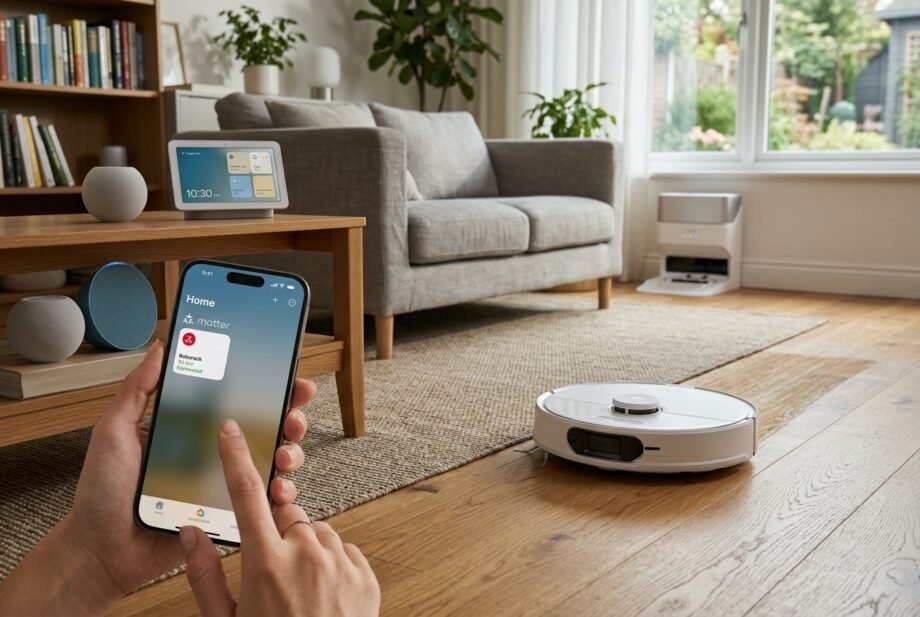
Roborock Matter support is now available across selected robot vacuums, giving compatible models a more direct way to work with smart-home platforms such as Apple Home, Google Home, and Amazon Alexa. However, support is not universal across the Roborock lineup, and the exact controls you receive depend on both the vacuum and the ecosystem you use.
- Quick Takeaways: Roborock Matter Support at a Glance
- Does Roborock Matter Support Work on Every Model?
- Roborock Models Included in the Official Matter Firmware Rollout
- Newer Roborock Models With Matter Support
- Why Roborock’s Matter Information Can Look Confusing
- What Matter Actually Means for a Roborock Vacuum
- What Can You Do With a Roborock Through Matter?
- Roborock With Apple Home, Google Home, and Alexa
- How to Set Up Roborock Matter Support
- Step 1 — Update the Robot and Your Smart-Home Devices
- Step 2 — Generate the Matter Pairing Code
- Step 3 — Add the Robot to Your Preferred Ecosystem
- Step 4 — Test the Controls
- Can One Roborock Work With Multiple Matter Ecosystems?
- Practical Roborock Matter Automation Ideas
- Start Cleaning When Everyone Leaves
- Clean One Room With a Voice Command
- Coordinate Cleaning With Other Smart Devices
- Matter vs the Roborock App: Which Should You Use?
- Roborock Matter Not Working? Troubleshooting Guide
- The Matter Option Is Missing
- The Robot Will Not Pair
- Check Bluetooth and Software
- Move Closer to the Router During Setup
- Check Whether the Robot Was Already Commissioned
- The Robot Appears but Some Features Are Missing
- Apple Home Does Not Recognize the Vacuum Correctly
- Common Roborock Matter Mistakes
- Assuming Every Roborock Supports Matter
- Assuming Alexa Compatibility Means Matter Compatibility
- Ignoring Firmware Updates
- Expecting the Roborock App Inside Apple Home or Google Home
- Expecting Identical Features on Every Platform
- Buying Only Because a Product Page Says Matter Is “Coming”
- Frequently Asked Questions
- Does Roborock support Matter?
- Which Roborock models support Matter?
- Does Roborock work with Apple Home through Matter?
- Is Matter the Same as HomeKit?
- Can Siri Tell a Roborock to Clean a Specific Room?
- Does Roborock Matter Work With Google Home?
- Does Roborock Matter Work With Alexa?
- Do I Need a Matter Hub for Roborock?
- Do I Still Need the Roborock App After Adding Matter?
- Can Roborock Matter Work Without the Internet?
- Final Verdict: Is Roborock Matter Support Worth Using?
Matter is most useful here as an extra smart-home control layer. It can make everyday cleaning commands and automations easier, but it does not replace the full Roborock app for detailed maps, cleaning preferences, firmware management, and model-specific settings.
Quick Takeaways: Roborock Matter Support at a Glance
Roborock Matter support is available on selected robot vacuums, not the entire lineup. Compatible models can connect to Matter ecosystems such as Apple Home, Google Home, and Alexa, but available controls vary by platform. The Roborock app remains useful for advanced cleaning configuration and firmware management.
- Matter compatibility depends on the exact Roborock model and firmware.
- Roborock officially rolled out Matter firmware to seven models in April 2025.
- Several newer Roborock models now advertise Matter support directly on their current product pages.
- Apple Home supports Matter-compatible robot vacuums, including scenes, automations, Siri control, and room-cleaning commands where supported.
- Google Home and Alexa both recognize robotic vacuums as Matter device categories.
- Matter functionality can differ from one ecosystem to another.
- Advanced Roborock features still make the manufacturer’s app valuable.
My Experience
While researching Roborock Matter support, I found that it works best as an extra smart-home control layer rather than a full replacement for the Roborock app. Basic commands and automations are useful, but advanced features still depend on the app and the specific platform you use.
Our Mission
Our mission is to make smart-home technology easier to understand and use by providing clear, practical, and up-to-date guidance. We aim to help readers understand what a feature can actually do, where its limitations are, and what they should check before buying, connecting, or configuring a device.
Does Roborock Matter Support Work on Every Model?
Does Roborock Matter Support Work on Every Model?
No. Matter availability is model-specific.
Roborock’s major Matter firmware rollout was announced on March 31, 2025. The company listed seven robot vacuums that were scheduled to receive Matter-enabled firmware between April 1 and April 10, 2025.
Roborock Models Included in the Official Matter Firmware Rollout
| Roborock model | Matter-enabled firmware announced by Roborock | Official status evidence |
| S8 MaxV Ultra | 02.37.88 | Included in 2025 rollout; also Matter certified |
| Saros Z70 | 02.40.92 | Included in 2025 rollout |
| Saros 10 | 02.32.44 | Included in 2025 rollout |
| Saros 10R | 02.32.44 | Included in 2025 rollout |
| Qrevo Curv | 02.26.02 | Included in 2025 rollout |
| Qrevo Edge | 02.26.02 | Included in 2025 rollout |
| Qrevo Master | 02.27.40 | Included in 2025 rollout |
Roborock also confirmed in 2024 that the S8 MaxV Ultra became its first robotic vacuum to receive Matter certification, with certification awarded through the Connectivity Standards Alliance’s certification process.
The firmware numbers above are useful historical reference points, not instructions to remain on those versions. Owners should normally use the latest stable firmware offered for their specific robot.
Newer Roborock Models With Matter Support
Roborock has continued expanding Matter across newer products.
Current global Roborock pages explicitly describe the Saros 20, Saros 20 Sonic, Qrevo Edge 3 Pro, and Qrevo Edge 2 Flow as Matter-supported models.
That makes one point especially important: do not assume Matter is limited to the original seven-model firmware list. Roborock’s Matter lineup has continued to expand.
Why Roborock’s Matter Information Can Look Confusing
There is an unusual documentation problem worth knowing about.
Roborock’s March 2025 newsroom announcement says models including the Saros 10, Saros Z70, Qrevo Curv, and Qrevo Edge were receiving Matter-enabled firmware in April 2025. Yet some current product pages still contain older wording saying Matter will arrive through an “upcoming OTA.”
The Qrevo Slim presents a similar case: Roborock announced plans to expand support to it, while its current product page still says Matter will become available through an upcoming OTA.
For an owner, the most useful test is therefore practical: update the robot and Roborock app, then check whether the Matter connection option is available for that specific device.
What Matter Actually Means for a Roborock Vacuum
Matter is an interoperability standard maintained by the Connectivity Standards Alliance. Robot vacuum cleaners became a defined Matter device category, with standardized functions for operating state and run modes, plus optional cleaning-mode functionality.
Later Matter specifications expanded the framework further. For example, the Service Area cluster provides a standardized mechanism for devices such as robots to expose and select areas in which they should operate.
This helps explain why Matter integration can become more capable over time without every manufacturer creating a completely separate integration for each smart-home platform.
Matter Is Different From Traditional Alexa or Google Linking
A Roborock vacuum working with Alexa or Google Home does not automatically prove that it supports Matter.
Roborock has long offered conventional third-party integrations. Its Alexa support documentation, for example, describes connecting a vacuum by enabling the Roborock or Mi Home skill and linking the relevant account.
That is different from commissioning the robot as a native Matter accessory.
In simple terms:
- Alexa skill/account linking: platform-specific cloud integration.
- Google Home account linking: traditional manufacturer-to-platform integration.
- Siri Shortcut: a shortcut-based Apple interaction.
- Matter: a standardized smart-home device connection supported across participating ecosystems.
A vacuum can support one of these without supporting all the others.
What Can You Do With a Roborock Through Matter?
Matter’s robot-vacuum model covers core operational behavior rather than every feature inside a manufacturer’s app.
The standard includes RVC Run Mode and RVC Operational State as core robot-vacuum clusters, while RVC Clean Mode can describe different cleaning behaviors. Later specifications also define commands and states for actions such as pausing, resuming, and returning home.
Basic Cleaning Control
Depending on the robot and controller, Matter can expose functions such as:
- starting a cleaning session
- monitoring whether the robot is idle, cleaning, paused, docked, or charging
- selecting supported cleaning modes
- pausing or resuming supported operations
- sending the robot back to its dock where implemented
The exact list should never be assumed to be identical across Apple Home, Google Home, Alexa, or another Matter controller. Roborock itself warns that Matter functionality varies by both robot model and ecosystem.
Room-Specific Cleaning
Room control is particularly useful for robot vacuums.
Apple currently promotes the ability to ask Siri to clean a specific room, and Roborock demonstrated room-based Apple Home automation and Siri commands when its Matter firmware rolled out.
Matter’s newer Service Area functionality also gives compatible devices and controllers a standardized way to represent selectable operating areas.
That does not mean every Roborock-and-platform combination will expose identical room controls. The device firmware and controller implementation still matter.
What Matter Does Not Fully Replace
Matter should not be treated as a replacement for every feature inside the Roborock app.
The standardized robot-vacuum model focuses on interoperable commands and states. Roborock’s own application can expose additional manufacturer-specific functions such as personalized routines, cleaning preferences, map-related controls, no-go-zone functions, and other model-dependent features. Roborock’s current Saros documentation, for example, continues to promote app-based personalized routines, floor-direction cleaning, No-Go Zone suggestions, and temporary cleaning.
For most owners, the practical setup is therefore:
Matter for convenient cross-platform control; Roborock’s app for detailed configuration.
Roborock With Apple Home, Google Home, and Alexa
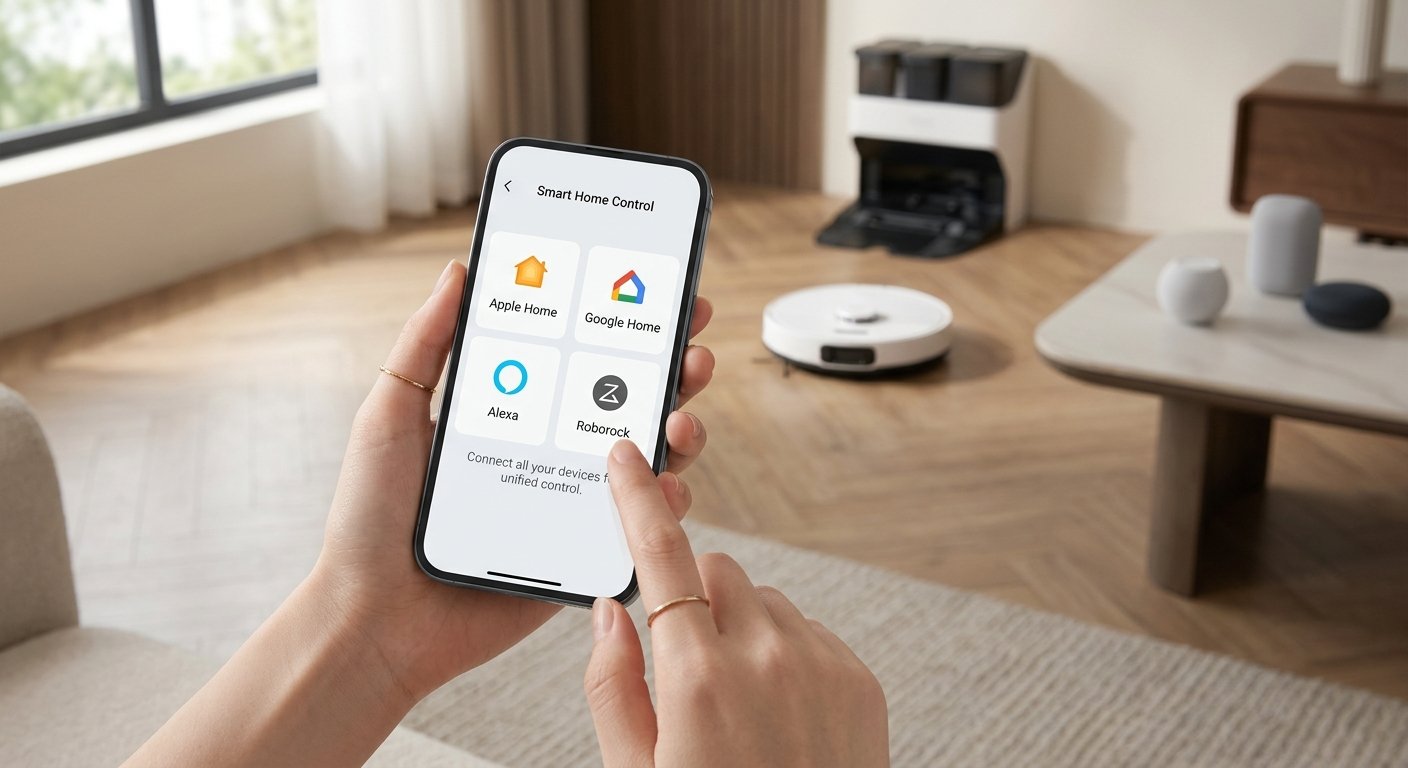
Matter reduces some ecosystem barriers, but these platforms do not expose robot vacuums in exactly the same way.
Roborock With Apple Home
Apple Home now supports Matter-compatible robot vacuum cleaners.
Apple’s current Home app information shows robot vacuums as part of the smart-home experience and gives the example of starting a vacuum when leaving home or asking Siri to clean a specific room.
Apple also states that robot vacuum cleaners can participate in the Home app’s automations and scenes.
Roborock specifically announced Apple Home integration with its 2025 Matter firmware, including custom automations and room-specific Siri commands.
Roborock With Google Home
Google’s current Matter documentation lists Robot Vacuum Cleaner as a supported Matter device type and identifies RVC Run Mode, RVC Clean Mode, and RVC Operational State among the relevant Matter clusters.
Roborock also continues to support conventional Google Home account integration for compatible devices.
That gives some owners two possible integration paths: the older account-based method or native Matter where their model supports it.
Roborock With Amazon Alexa
Amazon currently lists robotic vacuums among Alexa’s supported Matter categories. Its Matter documentation identifies RVC Run Mode for controls such as idle, cleaning, and mapping modes.
This is separate from Roborock’s traditional Alexa skills. Roborock’s support pages say those skills use account linking and provide start/stop cleaning control on compatible devices.
Ecosystem Comparison
| Feature | Apple Home | Google Home | Alexa | Roborock App |
| Basic cleaning control | Yes, on compatible Matter vacuums | Supported through Matter RVC controls | Supported through Matter RVC controls | Yes |
| Voice control | Siri | Google ecosystem support varies by implementation | Alexa | Roborock/third-party options vary by model |
| Scenes/automations | Yes | Platform dependent | Platform dependent | Roborock routines |
| Room-specific cleaning | Supported on compatible Apple Home setups | Device/platform dependent | Device/platform dependent | Supported on compatible mapped robots |
| Detailed map editing | Not a standard Matter function | Not a standard Matter function | Not a standard Matter function | Yes on compatible models |
| No-go-zone configuration | Not a standard Matter function | Not a standard Matter function | Not a standard Matter function | Available on compatible models |
| Firmware management | No | No | No | Yes |
The key point is not which ecosystem has the longest feature list. It is that Matter support does not guarantee feature parity between controllers.
How to Set Up Roborock Matter Support
Before pairing, make sure the robot is already working correctly inside the Roborock app and has current software.
Step 1 — Update the Robot and Your Smart-Home Devices
Install the latest available firmware for the robot and update the Roborock app.
The same principle applies to the smart-home ecosystem. Apple, for example, recommends updating the iPhone or iPad before adding Matter accessories and notes that manufacturer firmware can be required when an accessory is not supported correctly.
Step 2 — Generate the Matter Pairing Code
On supported Roborock models, the device settings can expose an option called Connect to the Matter Network. Selecting it generates Matter commissioning information that can be used to add the vacuum to a compatible ecosystem. This interface was documented when the S8 MaxV Ultra’s Matter firmware became available.
Step 3 — Add the Robot to Your Preferred Ecosystem
Matter uses QR or numeric setup codes as part of its standard commissioning process. The Connectivity Standards Alliance says compatible devices can be onboarded through the manufacturer’s app or a supporting smart-home platform by scanning the QR code or entering the setup digits.
Adding Roborock to Apple Home
In Apple Home:
- Open the Home app.
- Choose Add Accessory.
- Follow the pairing prompts.
- If the Matter accessory was already paired elsewhere, use the option for a previously paired Matter accessory and obtain a new pairing code from the ecosystem that already manages it.
Apple documents this multi-ecosystem pairing flow for Matter accessories.
Adding Roborock to Google Home or Alexa
Generate the Matter setup information from the Roborock app or, if the robot is already commissioned to another Matter ecosystem, use that ecosystem’s device-sharing process.
Then use Google Home or Alexa’s normal Matter device-addition flow.
The exact screens can change as those apps are updated, so following the current in-app commissioning prompts is safer than relying on an old sequence of menu screenshots.
Step 4 — Test the Controls
Once pairing is complete, test the functions that matter most:
- start cleaning
- pause or stop cleaning
- check operational status
- return to dock if exposed
- select a cleaning mode if available
- test room selection
- try a voice command
- create one simple automation
If a function exists in Roborock’s app but not in the Matter controller, that does not automatically indicate a fault. It may simply not be exposed by that particular Matter implementation.
Can One Roborock Work With Multiple Matter Ecosystems?
Yes, Matter was designed with Multi-Admin support.
The Connectivity Standards Alliance describes Multi-Admin as the ability to connect compatible Matter devices to multiple apps and ecosystems rather than locking the device to a single controller.
For example, a household could potentially manage the same compatible robot through more than one Matter ecosystem, provided the device and platforms support the required sharing flow.
Matter 1.4 later introduced Enhanced Multi-Admin capabilities intended to make multi-ecosystem management easier, while Matter 1.6 expanded those concepts further. Actual product adoption still depends on manufacturers and platforms.
Practical Roborock Matter Automation Ideas
Matter becomes more valuable when the vacuum is treated as part of the home rather than as an isolated appliance.
Start Cleaning When Everyone Leaves
A compatible ecosystem can use the robot as part of a leave-home automation, reducing the chance that it runs while people are walking through the house.
Apple explicitly supports robot vacuums in Home automations.
Clean One Room With a Voice Command
Room-based cleaning is more useful than launching a whole-home clean for every small mess.
On compatible Apple Home setups, Apple and Roborock both document room-specific Siri control for robot vacuums.
Coordinate Cleaning With Other Smart Devices
A Matter-enabled vacuum can become one action inside a broader automation instead of requiring a separate manufacturer-specific routine.
For example, a supported ecosystem could coordinate cleaning with presence, lighting, locks, or other smart-home states. The exact triggers and actions available depend on the controller.
Matter vs the Roborock App: Which Should You Use?
The better answer is usually both.
| Requirement | Matter ecosystem | Roborock app |
| Start basic cleaning | Excellent use case | Yes |
| Cross-brand smart-home automation | Major advantage | More limited outside Roborock |
| Voice control | Useful | Depends on integrated services |
| Robot status | Supported where exposed | Detailed |
| Cleaning modes | Depends on controller/model | More complete |
| Room and map management | Limited by Matter implementation | Stronger |
| No-go zones | Not standardized as a basic Matter vacuum control | Supported on compatible models |
| Dock configuration | Limited/platform dependent | Better choice |
| Robot-specific features | Limited | Best choice |
| Firmware updates | Not the main Matter role | Best choice |
Matter’s own FAQ makes the same broader distinction: smart-home platforms are useful for coordinating devices from different manufacturers, while vendor apps remain valuable for advanced and differentiated configuration.
Roborock Matter Not Working? Troubleshooting Guide
A missing device or failed pairing does not necessarily mean the robot lacks Matter hardware.
The Matter Option Is Missing
Check these items first:
- confirm that your exact Roborock model has official Matter support
- install the latest available robot firmware
- update the Roborock app
- restart the app and robot
- check Roborock’s current documentation for the model
This matters because even Roborock’s own current product pages and its earlier firmware announcement do not always use consistent wording about OTA availability.
The Robot Will Not Pair
Check Bluetooth and Software
Apple recommends keeping Bluetooth enabled during accessory setup, installing current software, and checking whether the manufacturer requires additional firmware or setup.
Move Closer to the Router During Setup
If commissioning repeatedly fails, temporarily moving the accessory closer to the router can eliminate a weak network connection as the cause. Apple includes router proximity among its accessory-pairing troubleshooting recommendations.
Check Whether the Robot Was Already Commissioned
Matter accessories that have already been added to another ecosystem are normally shared using Multi-Admin rather than treated as completely new, uncommissioned accessories.
The Robot Appears but Some Features Are Missing
This is often normal.
Matter standardizes a common set of capabilities, but manufacturers and controllers do not have to expose every proprietary feature through Matter. Roborock explicitly says Matter functionality can differ by device and ecosystem.
Check whether the missing function remains available in the Roborock app before resetting the entire integration.
Apple Home Does Not Recognize the Vacuum Correctly
Make sure Apple Home and the Apple devices involved are fully updated.
Apple’s latest Home architecture supports robot vacuum cleaners, while its troubleshooting guidance recommends checking software, Bluetooth, network connectivity, and accessory firmware when setup fails.
Common Roborock Matter Mistakes
Assuming Every Roborock Supports Matter
It does not. Compatibility must be checked by model.
Assuming Alexa Compatibility Means Matter Compatibility
Traditional Roborock Alexa skills are separate from Matter commissioning.
Ignoring Firmware Updates
Several Roborock models received Matter through firmware rather than shipping with the finished integration on day one.
Expecting the Roborock App Inside Apple Home or Google Home
Matter shares standardized capabilities; it does not reproduce an entire manufacturer’s application.
Expecting Identical Features on Every Platform
Apple Home, Google Home, Alexa, and other Matter controllers can implement robot-vacuum capabilities differently. Roborock explicitly warns about this variation.
Buying Only Because a Product Page Says Matter Is “Coming”
A future OTA promise is different from confirmed, usable support.
If Matter is a purchase requirement, check the current model documentation and firmware status rather than assuming a promised update has already shipped.
Frequently Asked Questions
Does Roborock support Matter?
Yes, selected Roborock robot vacuums support Matter. Roborock formally rolled Matter firmware out to seven models in 2025 and currently advertises Matter support on several newer products as well.
Which Roborock models support Matter?
Roborock’s April 2025 firmware rollout covered the S8 MaxV Ultra, Saros Z70, Saros 10, Saros 10R, Qrevo Curv, Qrevo Edge, and Qrevo Master. Newer current product pages also identify models such as the Saros 20, Saros 20 Sonic, Qrevo Edge 3 Pro, and Qrevo Edge 2 Flow as Matter supported.
Does Roborock work with Apple Home through Matter?
Yes, compatible models can work with Apple Home through Matter. Roborock announced Apple Home support with its Matter firmware rollout, while Apple currently supports Matter-compatible robot vacuums in the Home app, including scenes, automations, and Siri interactions.
Is Matter the Same as HomeKit?
No. Matter is a cross-platform smart-home standard. A Matter-certified accessory can qualify for Apple’s Works with Apple Home program without being a traditional HomeKit-only product. Apple’s current badge requirements specifically include Matter-certified robot vacuum cleaners among supported categories.
Can Siri Tell a Roborock to Clean a Specific Room?
On compatible Roborock and Apple Home configurations, yes. Apple gives specific-room robot cleaning as a Siri use case, and Roborock has demonstrated commands such as cleaning a named room through Apple Home.
Does Roborock Matter Work With Google Home?
Google Home supports the Matter Robot Vacuum Cleaner device type, including standardized robot-vacuum run, cleaning, and operational-state clusters. Actual Roborock controls can vary by model and Google’s current implementation.
Does Roborock Matter Work With Alexa?
Alexa supports robotic vacuums as a Matter category. Amazon currently documents Matter run-mode control for robotic vacuums, while Roborock also maintains separate traditional Alexa skill integrations.
Do I Need a Matter Hub for Roborock?
The answer depends on the ecosystem and the features you need.
Matter uses controllers supplied by smart-home platforms. For remote control and automations, an internet-connected controller or smart-home hub is often part of the setup. The Connectivity Standards Alliance notes that Matter is fundamentally a local connectivity technology and that a controller in the home enables remote access for Matter-only devices.
Apple’s current setup rules also vary depending on device type and feature: recent iPhones can locally add many Matter accessories without a home hub, while a HomePod or Apple TV remains useful for remote access and home automation.
Do I Still Need the Roborock App After Adding Matter?
For basic Matter control, not necessarily every time. For firmware, detailed robot configuration, mapping features, manufacturer-specific routines, and advanced settings, the Roborock app remains the more complete interface.
Can Roborock Matter Work Without the Internet?
Matter is designed around local IP connectivity, but that should not be interpreted as a guarantee that every Roborock function becomes fully offline.
The CSA describes Matter as providing local connectivity, while also noting that vendor apps and remote-control functions may use internet connections.
The safest expectation is that basic Matter communication can be local where the device and controller implement it, while Roborock-specific cloud or app features may still require internet access.
Final Verdict: Is Roborock Matter Support Worth Using?
Roborock Matter support is worth enabling if you want your robot vacuum to behave like a native part of a wider smart home rather than an appliance controlled only through its own app.
Its strongest advantages are simple cross-platform commands, voice control, automations, Apple Home integration, and the ability to connect compatible Matter devices to more than one ecosystem through Multi-Admin.
The limitation is equally important: Matter does not transfer every Roborock feature into Apple Home, Google Home, or Alexa. Detailed maps, no-go zones, specialized cleaning behavior, dock settings, and other advanced controls can still belong in the Roborock app.
For most smart-home users, the strongest setup is therefore not Matter instead of Roborock.
It is Matter plus Roborock: use Matter for convenient household integration and keep the Roborock app for deeper control.
Disclaimer
This article is for informational purposes only. Roborock Matter compatibility, features, firmware, and smart-home integrations may change over time and can vary by model, region, and platform. Always check Roborock and your smart-home platform’s official documentation for the latest compatibility information before purchasing or configuring a device. All product names and trademarks belong to their respective owners.