



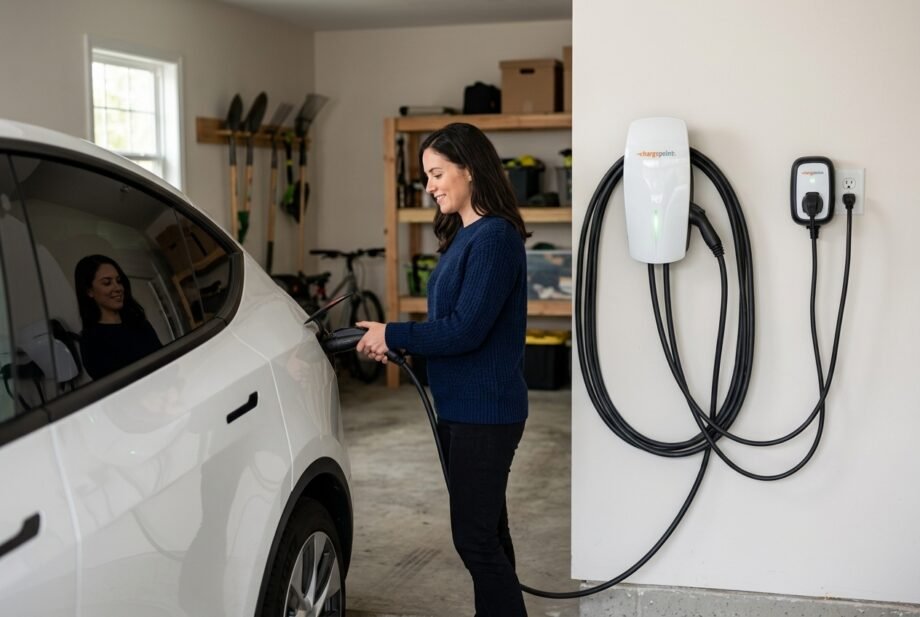
What is an EV charger, and do you need a special one at home? It is equipment that supplies electricity to an electric vehicle, with controls that help deliver power safely.
The confusing part is that the box on your garage wall and the large charging station beside a highway do different jobs. Understanding that distinction makes charging speeds, installation requirements, and smart features easier to judge.
As part of a broader smart-home setup, a connected charger can add scheduling and energy visibility. Those features come after basic electrical compatibility.
This guide uses U.S. electrical supplies and connector terminology. Equipment requirements differ elsewhere.
Quick answer: What is an EV charger? It is equipment that supplies electricity to recharge an electric vehicle. Home AC units manage power delivery while the car converts AC to DC; DC fast chargers perform that conversion externally. Charging speed depends on both the equipment and the vehicle.
What Is an EV Charger, and How Does It Work?
A home charging unit is commonly called electric vehicle supply equipment, or EVSE. Its job includes communicating available current to the vehicle and controlling the electrical connection. It is more than a cable with a convenient plug.
With AC charging, the vehicle’s onboard charger converts alternating current from the building supply into direct current for the traction battery. That battery stores the energy used to drive the car.
A DC charging station performs the conversion outside the vehicle. It bypasses the onboard AC charger, while the vehicle’s battery management system still governs acceptable charging conditions.
| Charging arrangement | Where AC becomes DC | What can limit speed? |
| Home or public AC charging | Inside the vehicle | Available supply, EVSE setting, onboard charger |
| Public DC fast charging | Inside the charging equipment | Station capability, battery condition, vehicle limits |
Before power flows, the equipment and vehicle establish a valid connection. Charging then proceeds within their supported limits. A higher-rated wallbox cannot force a vehicle to accept more power than its onboard charger supports.
My starting point for comparing equipment is therefore the car’s AC charging specification. Buying additional wallbox capacity only helps if your vehicle and installation can use it, or a planned replacement vehicle will.
Level 1, Level 2, and DC Fast Charging
The three categories describe different charging arrangements. They do not tell you which connector fits your vehicle.
| Type | U.S. supply context | Useful example | Typical setting |
| Level 1 AC | 120 V | 12 A provides approximately 1.44 kW before losses | Home charging with modest energy needs |
| Level 2 AC | 240 V residential; 208 V also used commercially | 32 A at 240 V provides approximately 7.68 kW before losses | Homes, workplaces, public parking |
| DC fast charging | Specialized power equipment, typically with three-phase AC input | Output depends on the station and vehicle | Highway stops and public charging hubs |
These AC examples illustrate power calculations, not instructions for selecting circuit protection. An electrician must determine permitted settings and installation requirements.
Level 1 can work if overnight charging replaces your daily driving energy. Level 2 is useful when your driving needs or available charging window demand faster replenishment.
DC fast charging serves a different purpose: adding substantial energy during a shorter stop. Its advertised maximum is not sustained throughout every session. Charging commonly slows as the battery fills.
Public chargers can also be Level 2. A charging point in a hotel parking lot may suit an overnight stay rather than a quick roadside stop. The Department of Energy’s guide to EV charging levels explains the differences between these charging categories.
Will the Charger Fit Your Vehicle?
Start with your car’s charging port and manual. In the U.S., you will encounter J1772, J3400/NACS, and CCS1; some vehicles use CHAdeMO for DC charging.
J1772 is an AC charging connection. CCS1 adds DC contacts below the J1772 portion. J3400/NACS can support AC or DC charging with appropriately designed vehicles and equipment, but a particular station supplies its designated charging type.
Adapters require care. An adapter approved for DC fast charging is not automatically suitable for an AC wallbox, even if both charging handles are described as NACS. Ford’s owner guidance, for example, distinguishes its AC and DC adapter requirements.
Check four things before buying:
- The vehicle’s supported charging type and power.
- The connector fitted to the charging equipment.
- Any adapter explicitly approved for that combination.
- Network access and authentication requirements for public charging.
Physical fit alone does not guarantee a usable charging session. Also confirm cable reach with the car parked normally. A compatible connector offers little convenience if its cable cannot comfortably reach the port.
How Much Charging Speed Do You Need?
Kilowatts measure power; kilowatt-hours measure energy. A battery’s kWh rating describes capacity, while the charger’s kW rating describes its potential delivery rate.
For an illustrative calculation, adding 30 kWh at a constant effective battery-charging rate of 7.2 kW takes:
30 ÷ 7.2 = approximately 4.2 hours.
If 7.2 kW instead describes power drawn from the wall, losses and auxiliary loads mean less reaches the battery. Temperature, charging limits, and power adjustments can extend the session further.
Estimate what you normally replenish each day, then compare it with your available parking time. You rarely need to refill an empty battery every evening.
I would also leave room for unusually busy days. A setup that barely covers an average commute may feel restrictive after an extra school run, appointment, or evening trip.
What Is an EV Charger With Smart Features?
A smart charger adds connected functions such as scheduling, energy reporting, remote access, or adjustable charging settings. These features do not automatically make it electrically faster.
Dynamic load management can reduce charging power when other household loads increase. Tesla, for example, documents a system using an approved meter to monitor available capacity and adjust charging. This can help use existing capacity, subject to proper assessment and installation.
Scheduling serves a different purpose: choosing when charging happens. A cheaper overnight tariff can make this useful, but savings depend on your actual electricity plan.
Ecosystem and protocol compatibility
| Platform or protocol | What to verify |
| Apple Home | Explicit support for the charger and the controls you need; an iPhone app alone is insufficient |
| Google Home | Supported device integration and available charging functions |
| Amazon Alexa | Documented integration, commands, and account requirements |
| Home Assistant | Exact integration, exposed entities, and local versus cloud operation |
| Matter | EVSE implementation in both the charger and controller |
| Thread | Whether the product actually uses Thread and requires a border router |
| Zigbee / Z-Wave | A documented compatible device or integration, rather than assumed support |
Matter 1.3 introduced EVSE support and energy-management features, including charging controls and energy reporting. Manufacturers and controller platforms still have to implement them.
If you use an iPhone, understanding how Apple Home works and which hardware it needs helps separate platform requirements from the capabilities of a particular charger.
Home Assistant provides a useful distinction: its Tesla Wall Connector integration exposes local monitoring sensors. Monitoring energy or connection status does not itself establish start/stop control. Check functions individually before designing automations.
Setting Up Home Charging
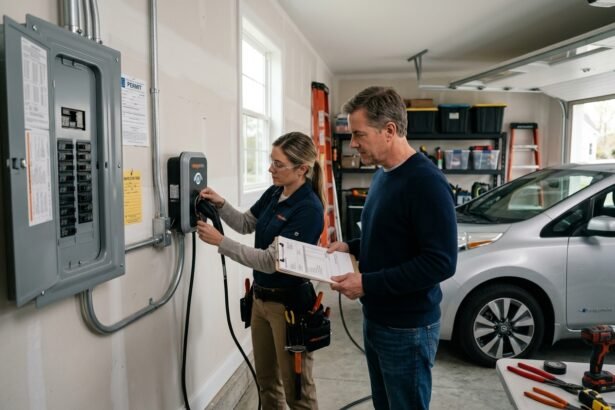
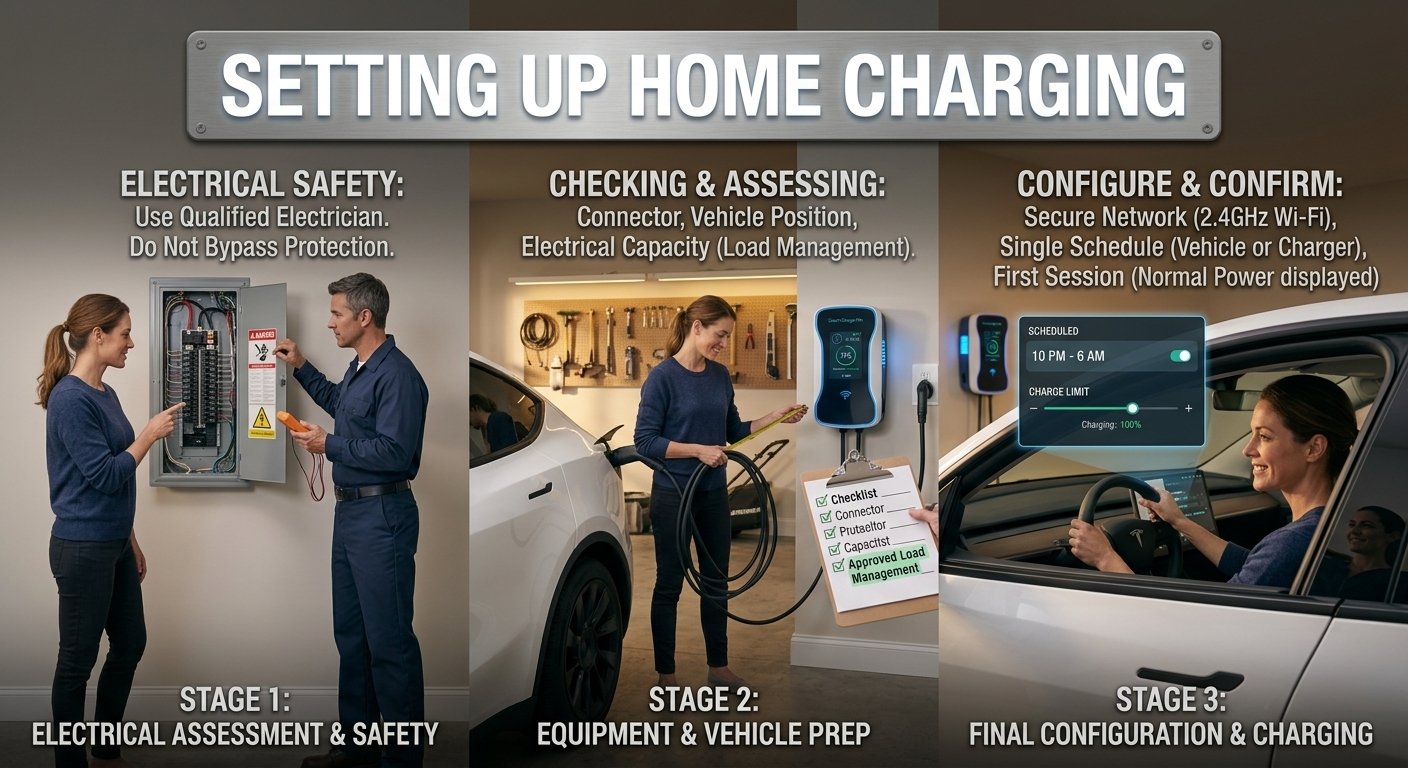
Electrical safety: Have a qualified electrician assess and install the charging circuit and fixed equipment. Do not open electrical panels, bypass protection, increase installer limits yourself, or use ordinary extension cords, power strips, or smart plugs to supply or switch EV charging.
1. Check the vehicle and parking arrangement
Record the connector, maximum AC charging capability, and usual parking position. Include cable clearance, pedestrian access, and whether the equipment will face rain or direct sun.
2. Assess electrical capacity
An electrician should evaluate the existing service, panel, circuit route, and applicable requirements. Ask whether approved load management is appropriate before assuming a panel upgrade is necessary.
3. Choose suitable equipment
Match the connector, permitted charging power, cable length, and environmental rating. Select equipment with an appropriate recognized safety certification for your jurisdiction. Discuss hardwired and plug-in installation options with the electrician.
Budget for the complete installation using our breakdown of home EV charger installation costs.
4. Configure owner-accessible settings
After professional commissioning, set up the account and network connection if required. Follow the product’s supported Wi-Fi bands and security settings. Keep installer electrical limits separate from everyday scheduling preferences.
5. Set one clear charging schedule
Begin with scheduling in either the vehicle or charger. If you use both, make sure their permitted charging windows overlap. Follow the vehicle manufacturer’s recommended charge-limit settings.
6. Confirm the first session
Check the vehicle’s charging indicator, estimated completion time, and any equipment alerts. Record normal displayed power for later comparison. Compare sessions under similar conditions before interpreting a change as a fault.
Why Charging Stops, Slows Down, or Will Not Start
Check settings and status messages before assuming hardware failure. A connected car may simply be waiting for a schedule or already have reached its charge limit.
| Symptom | Safe first checks |
| Connected but not charging | Vehicle charge limit, both schedules, required authorization |
| Lower power than expected | Vehicle AC limit, owner settings, temperature, active load management |
| App reports offline | Router status, signal coverage, documented offline behavior |
| Charging interrupted by an outage | Restored supply, equipment status, manufacturer restart instructions |
| Repeated trips, burning smell, discoloration, or damage | Stop charging; obtain qualified inspection |
Internet failure and electrical failure need different responses. Some chargers can continue basic charging without internet while remote functions stop. Authentication or cloud-dependent features may behave differently, so consult the exact model’s documentation.
For connection problems, check garage Wi-Fi coverage and the charger’s supported network settings before changing its charging configuration.
After an electrical outage, restart behavior is product-specific. Tesla’s Gen 3 Wall Connector documentation states that interrupted charging resumes within one to three minutes after power returns. That timing should not be assumed for other products.
Reduced charging power can also be intentional. A load-management system may lower EV demand when household consumption rises. Tesla’s Wall Connector power-management documentation explains one implementation.
Repeatedly resetting a tripping breaker is not a repair. Stop using suspect equipment, and avoid troubleshooting outside during dangerous weather or touching damaged components.
What Determines Charging Costs?
Separate the cost of buying equipment, installing it, and using electricity. Installation can change substantially with cable routing, building work, and electrical capacity.
For the energy portion of a bill:
Grid energy consumed in kWh × electricity price per kWh = energy charge.
As an example, 30 kWh drawn from the grid at $0.20/kWh costs $6 in energy charges. That is an illustration, not a national rate estimate or a promise that all 30 kWh reaches the battery.
Public charging may add session, parking, or idle fees. Home tariff structures can also affect the bill.
Compare charging consumption with other household loads using your utility data or a suitable energy monitor. Check meter definitions before comparing wall energy with energy added to the battery.
Maintenance and Long-Term Reliability
Inspect accessible cables and connectors for damage, keep the handle in its holder, and follow manufacturer cleaning instructions. Stop using damaged equipment.
Install supported firmware updates according to the manufacturer’s procedure. Avoid interrupting updates or attempting unofficial flashing; do not assume firmware rollback is available.
Before relying on connected features, ask:
- Does basic charging need an active account or subscription?
- Which functions operate locally?
- Can charging history be exported or deleted?
- What happens if the manufacturer’s service becomes unavailable?
Protect the account with a unique password and multifactor authentication where available. Recheck schedules after significant software or tariff changes.
Frequently Asked Questions
Can you charge an electric car from a normal outlet?
Yes, many vehicles support U.S. 120 V charging through suitable Level 1 equipment. The outlet and circuit still need to meet the equipment’s requirements. An old, damaged, or unsuitable shared outlet should not be treated as safe simply because the plug fits. Have uncertain installations assessed before regular use.
Do you need a Level 2 charger at home?
Not necessarily. Level 1 may cover modest daily energy needs during a long overnight parking window. Level 2 provides more flexibility for longer driving distances or shorter charging windows. Decide using your daily consumption, climate, parking time, and vehicle efficiency rather than assuming every EV owner needs the same installation.
How long does charging an electric car take?
It depends on energy needed and effective charging power. Adding 20 kWh at a steady 5 kW into the battery takes four hours mathematically. Real charging can take longer as power changes. A public station’s peak rating is especially unsuitable for predicting the duration of an entire DC charging session.
Do EV chargers work without Wi-Fi?
Some do, but the answer depends on the model and configuration. Basic charging, saved schedules, authorization, and remote app access can have different connectivity requirements. Ask specifically whether charging starts after a router failure or power interruption, and check which settings remain available without the manufacturer’s online service.
Can one home charger charge different EV brands?
Yes, compatible home charging equipment can serve different brands. Verify connectors, approved adapters, and each vehicle’s charging capability. For two cars charging simultaneously, you need equipment and an electrical design that support that arrangement. Two physical plugs alone do not establish the available power or how it is shared.
Choosing the Right Charging Setup
The useful answer to “what is an EV charger?” goes beyond identifying a box and cable. It is part of a system whose performance depends on the vehicle, electrical installation, and charging conditions.
Start with compatibility, work out your daily energy needs, and have the available capacity assessed. Then choose smart features that make charging easier to manage. A properly matched setup should fit your routine without making every evening a charging calculation.
Disclaimer: This guide provides general information using U.S. examples. Electrical work must follow local requirements and manufacturer instructions, with qualified installation and inspection where required. Charging performance, adapter approval, software features, and ecosystem support vary by product and configuration.