

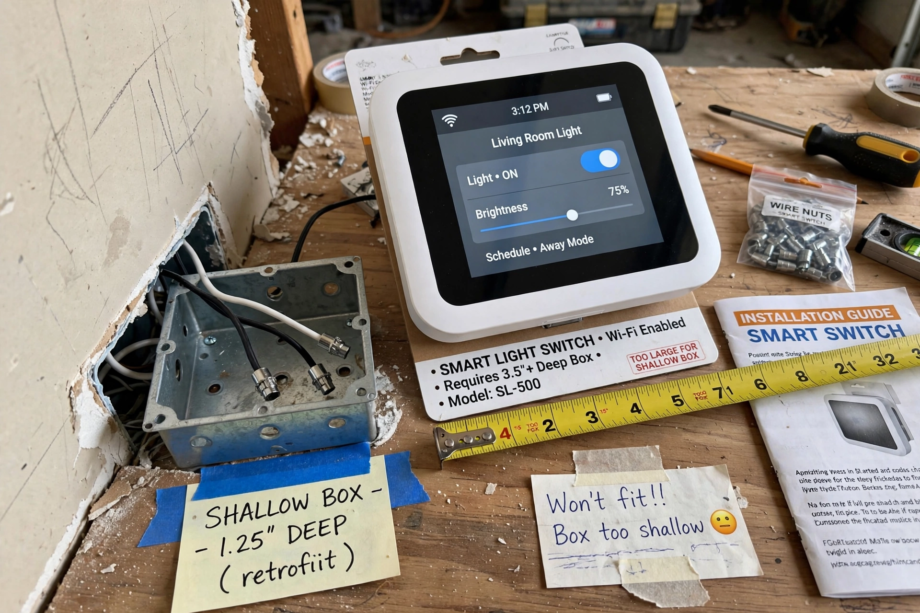
You bought a smart switch, wired it up, and now it won’t fit back in the electrical box. This smart switch too big for electrical box problem is common because smart switches pack wireless chips and relays into a space designed for a simple mechanical switch. The good news: seven proven fixes exist, and most don’t need an electrician.
- Why Smart Switches Don’t Fit
- Fix 1: Fold Your Wires Like a Pro
- Fix 2: Switch to Wago Lever Connectors
- Fix 3: Trim Excess Wire Length
- Fix 4: Upgrade to a Deeper Old-Work Box
- Fix 5: Use a Box Extender or Extension Ring
- Fix 6: Choose a Slimmer Smart Switch
- Fix 7: Trim the Switch Yoke (Carefully)
- What NOT to Do
- When to Call an Electrician
- FAQs
- Why are smart switches so much bigger than regular switches?
- Can I use a smart switch without a neutral wire to save space?
- Is it safe to cram a smart switch into a small box?
- What is the minimum box size for a smart switch?
- Do Wago connectors really save that much space?
- Can I install a smart switch in a metal box?
- Should I replace all my boxes before installing smart switches?
- Final Thoughts
Before we dive in, a quick reality check. If the switch physically cannot fit no matter what you try, don’t force it. Cramming wires creates heat, and heat creates fire risk. Every fix below respects electrical safety. Let’s get that switch mounted properly.
Why Smart Switches Don’t Fit
A standard dumb switch is basically a piece of metal that connects or disconnects two wires. It’s thin because there’s almost nothing inside. A smart switch, on the other hand, contains a microcontroller, a WiFi or Zigbee radio, a relay, a power supply circuit, and sometimes a dimmer. All of that needs physical space.
The problem gets worse in older homes. Electrical boxes from the 1960s through the 1980s are often shallow, sometimes just 1.5 inches deep. Modern boxes are deeper, but if you’re retrofitting, you’re stuck with what’s in the wall. Add in stiff solid-core wire, bulky wire nuts, and a ground wire, and you’ve got a recipe for frustration.
Here’s something most guides don’t tell you: the wire nuts often take up more space than the switch itself. A standard orange wire nut with three 12-gauge wires is a chunky object. Multiply that by three or four connections, and you’ve lost a cubic inch of box space to connectors alone. If you’re planning a broader smart home upgrade, our Apple Home overview helps you choose the right ecosystem before buying switches.
Fix 1: Fold Your Wires Like a Pro
This is the first thing to try because it costs nothing and solves the problem about half the time. The trick is in how you fold the wires before pushing the switch in.
Strip your wires to the right length, make your connections, then fold each wire in a tight accordion pattern behind the switch. The key technique: bend the wires so the wire nuts face toward the back of the box, not toward you. This keeps the bulkiest parts as deep as possible.
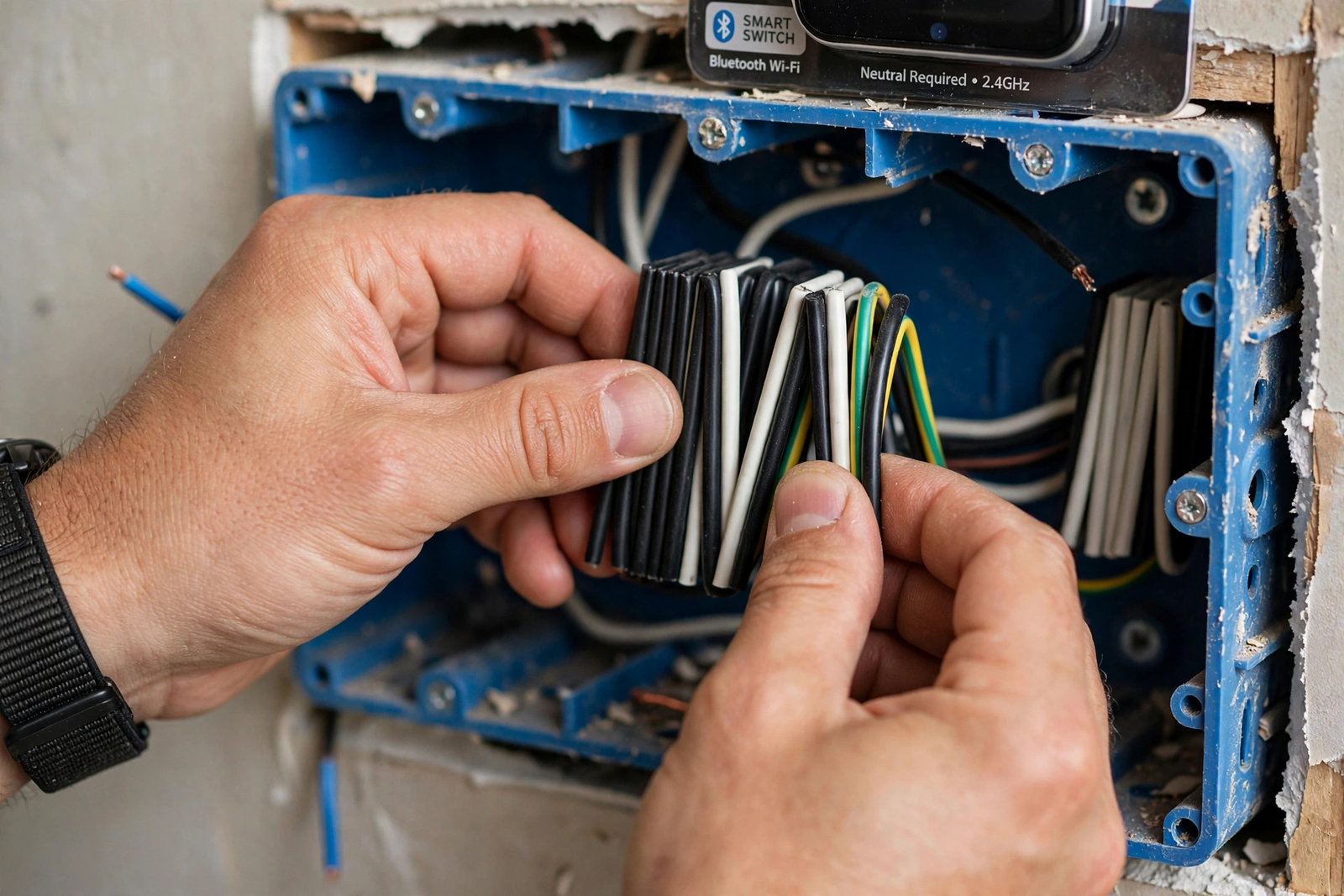
Start with the ground wire, push it to the very back. Then the neutral bundle. Then line and load. Work in layers, deepest first. Use the handle of your screwdriver to gently push wires into the corners. You’ll be surprised how much space this frees up compared to just shoving everything in randomly. This wire-folding technique is also covered in PCWorld’s smart switch installation guide, which has helpful photos of the process.
Fix 2: Switch to Wago Lever Connectors
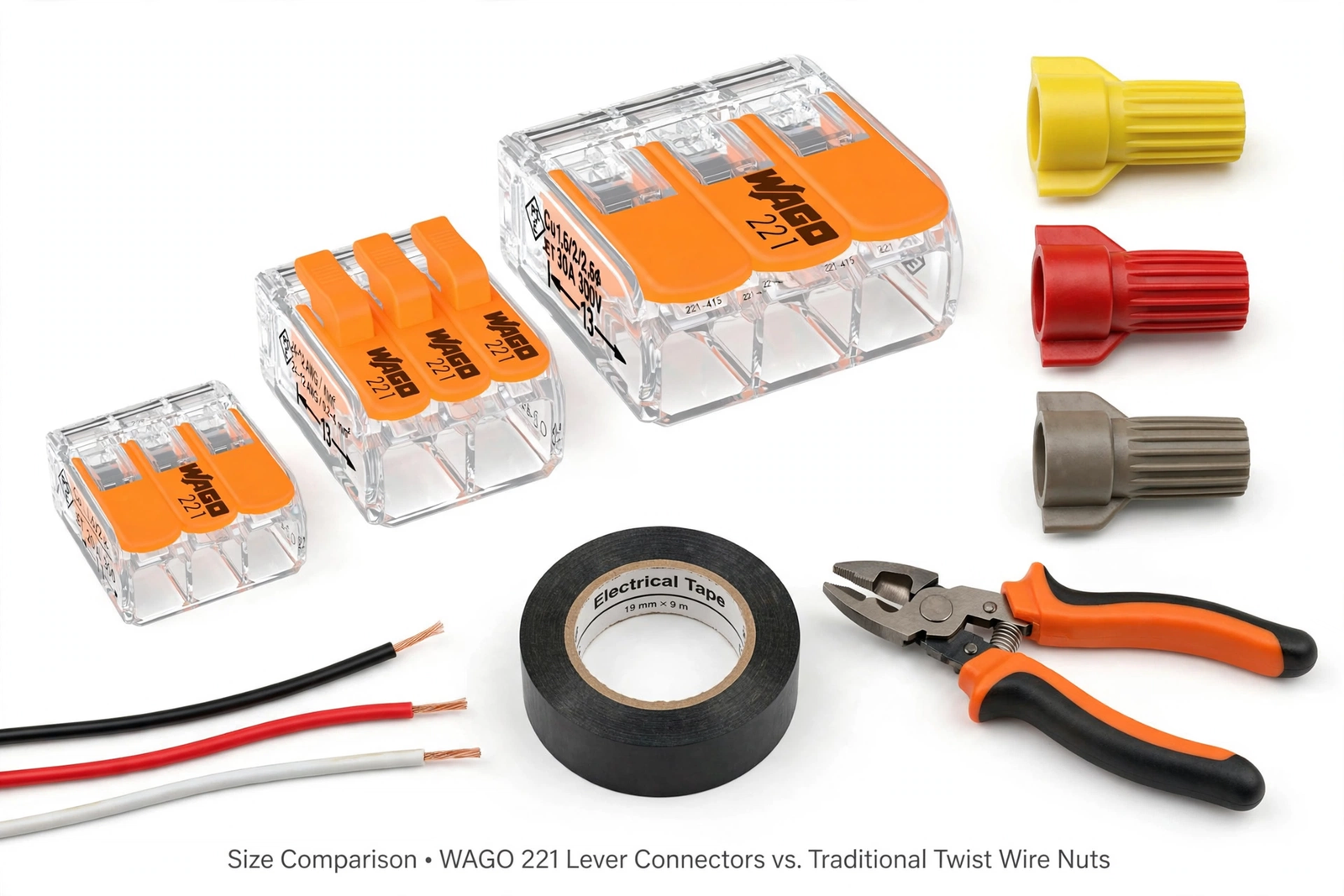
If you’re still using traditional twist-on wire nuts, this single change might solve your problem. Wago 221 lever connectors are significantly more compact than wire nuts, especially with multiple wires. They’re also easier to work with in tight spaces because you can open the lever, insert the wire, and snap it shut.
Beyond the space savings, Wagos create more reliable connections. A poorly twisted wire nut can loosen over time, but a lever connector maintains constant spring pressure. For a smart switch that you’ll rarely touch again after install, that reliability matters.
The 221 series handles 12 to 24 AWG wire and comes in 2, 3, and 5-port versions. For most smart switch installs, the 3-port version covers your needs. They’re reusable too, so if you need to rewire later, just flip the lever open.
Fix 3: Trim Excess Wire Length
Electricians often leave generous wire length in boxes, which is great for future work but terrible for fitting a bulky smart switch. If you have 6 inches of wire looped in the box, you can safely trim it back.
The electrical code requires at least 6 inches of free conductor in the box, with at least 3 inches extending past the box opening. You can trim down to this minimum. Less wire means less bulk to fold. Just make sure you leave enough to work with comfortably and to allow for one future re-strip if needed.
Be conservative here. You can always trim more, but you can’t add wire back easily. Trim a little, test the fit, trim a little more if needed.
Fix 4: Upgrade to a Deeper Old-Work Box
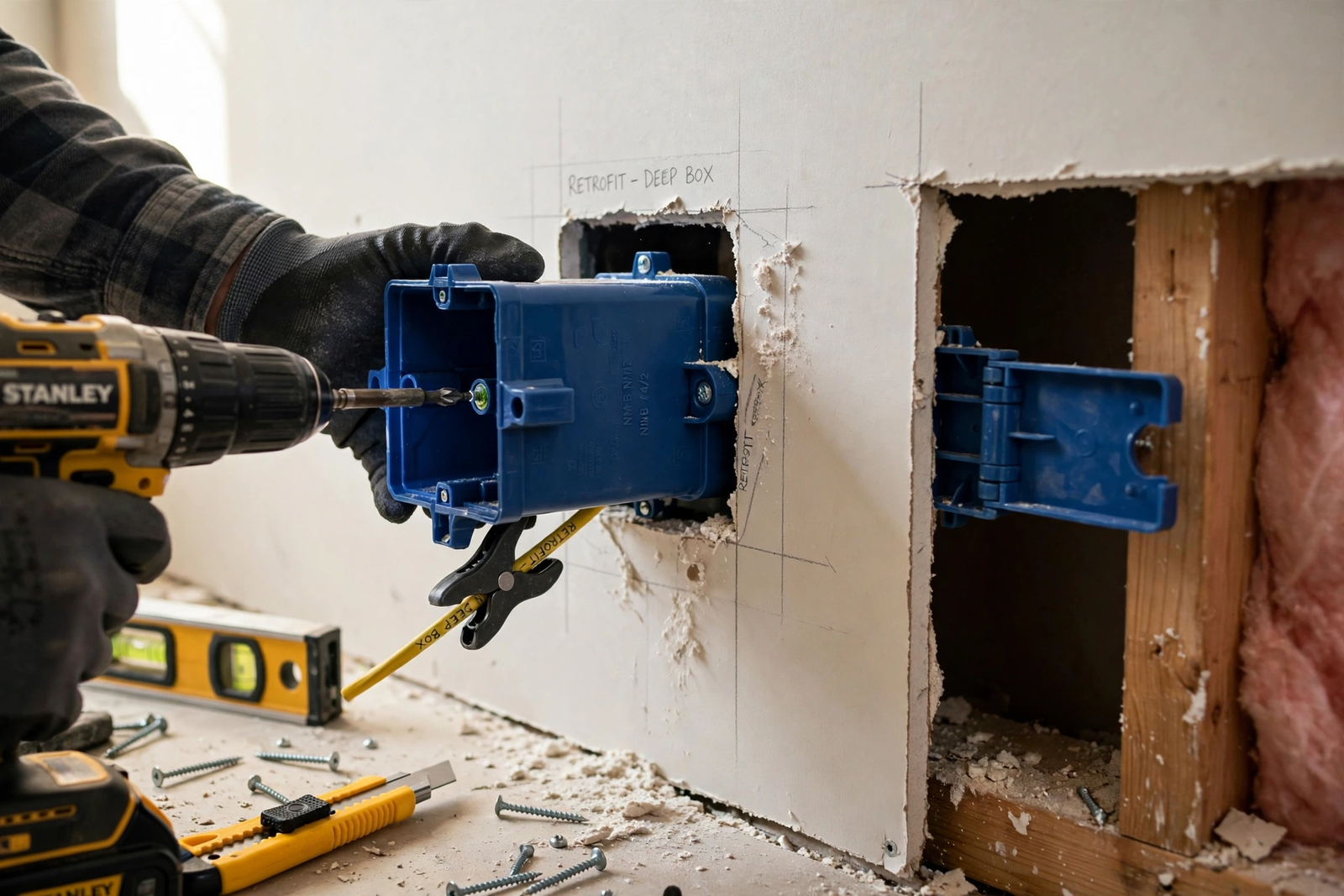
Sometimes the box itself is the problem. If you have a shallow 1.5-inch box, no amount of wire folding will make a deep smart switch fit comfortably. The solution is to replace it with a deeper old-work box.
Old-work boxes (also called retrofit boxes) are designed to be installed in existing walls without opening up large sections of drywall. You trace the new box outline, cut the opening slightly larger, pull out the old box, and slide the new one in. The box has wings or tabs that clamp against the back of the drywall.
Look for a 22 cubic inch single-gang old-work box. That gives you significantly more room than the 14 or 18 cubic inch boxes common in older homes. The whole swap takes about 30 minutes if you’re comfortable with basic electrical work. Turn off the breaker first, obviously.
Table: Common Electrical Box Depths
| Box Type | Depth | Volume | Smart Switch Fit |
|---|---|---|---|
| Shallow old box | 1.5 inches | 14 cu in | Tight or impossible |
| Standard box | 2.125 inches | 18 cu in | Workable with care |
| Deep old-work box | 2.75 inches | 22 cu in | Comfortable |
| Extra-deep box | 3.5 inches | 24+ cu in | Plenty of room |
Fix 5: Use a Box Extender or Extension Ring
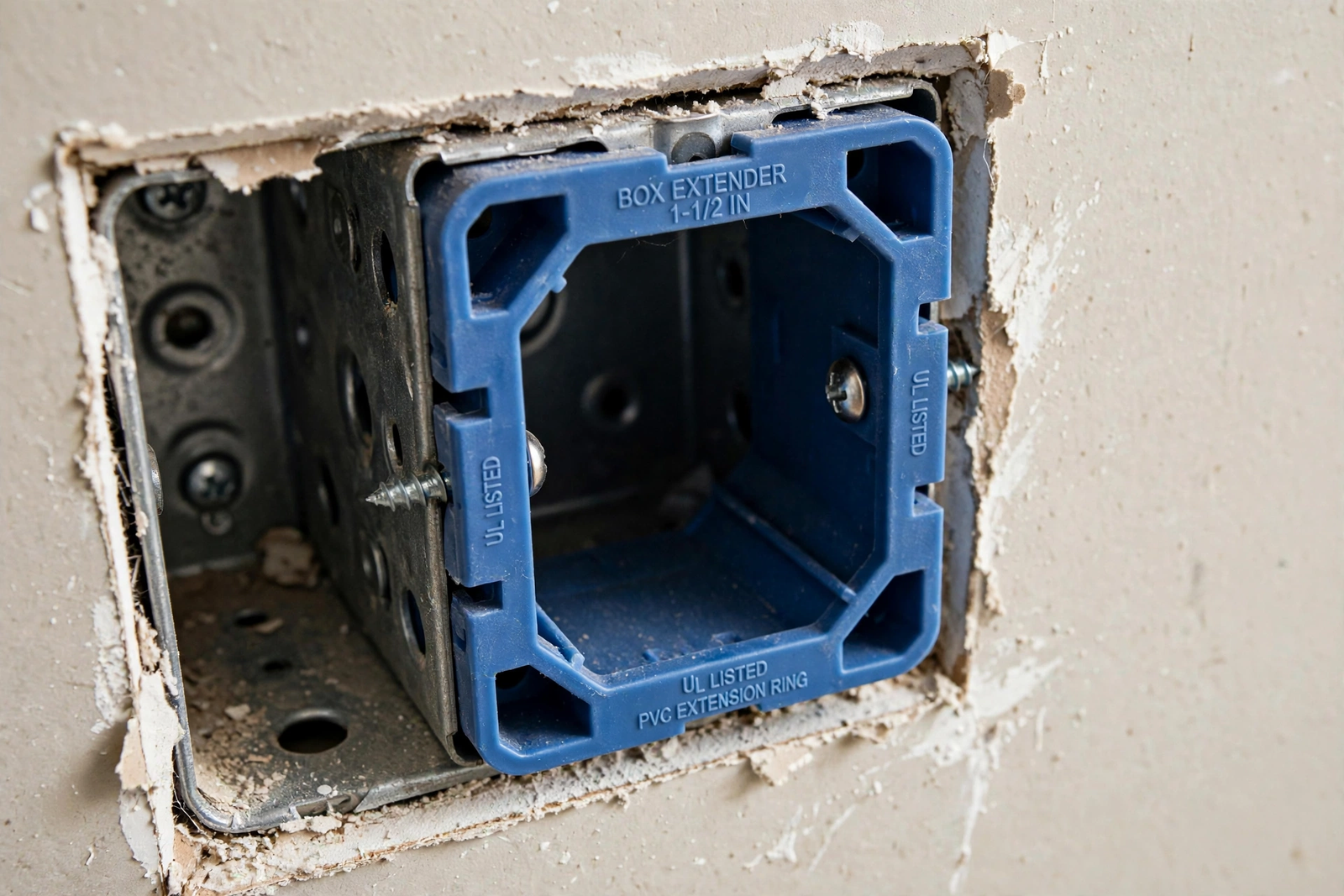
If replacing the box sounds like too much work, a box extender is the lazy (and perfectly valid) alternative. This is a plastic or metal ring that sits between the box and the wall surface, effectively making the box deeper by half an inch or more.
Box extenders are code-compliant when installed correctly. They bring the box flush with the wall surface, which is actually a code requirement anyway. If your box is recessed into the wall, an extender solves two problems at once.
The downside is aesthetic. The switch will sit slightly proud of the wall. With a standard wall plate, most people won’t notice. But if you’re particular about flush mounting, the deeper box replacement is the cleaner solution.
Fix 6: Choose a Slimmer Smart Switch
Not all smart switches are created equal when it comes to depth. If you haven’t bought yet, or if you’re willing to swap, some models are significantly slimmer than others.
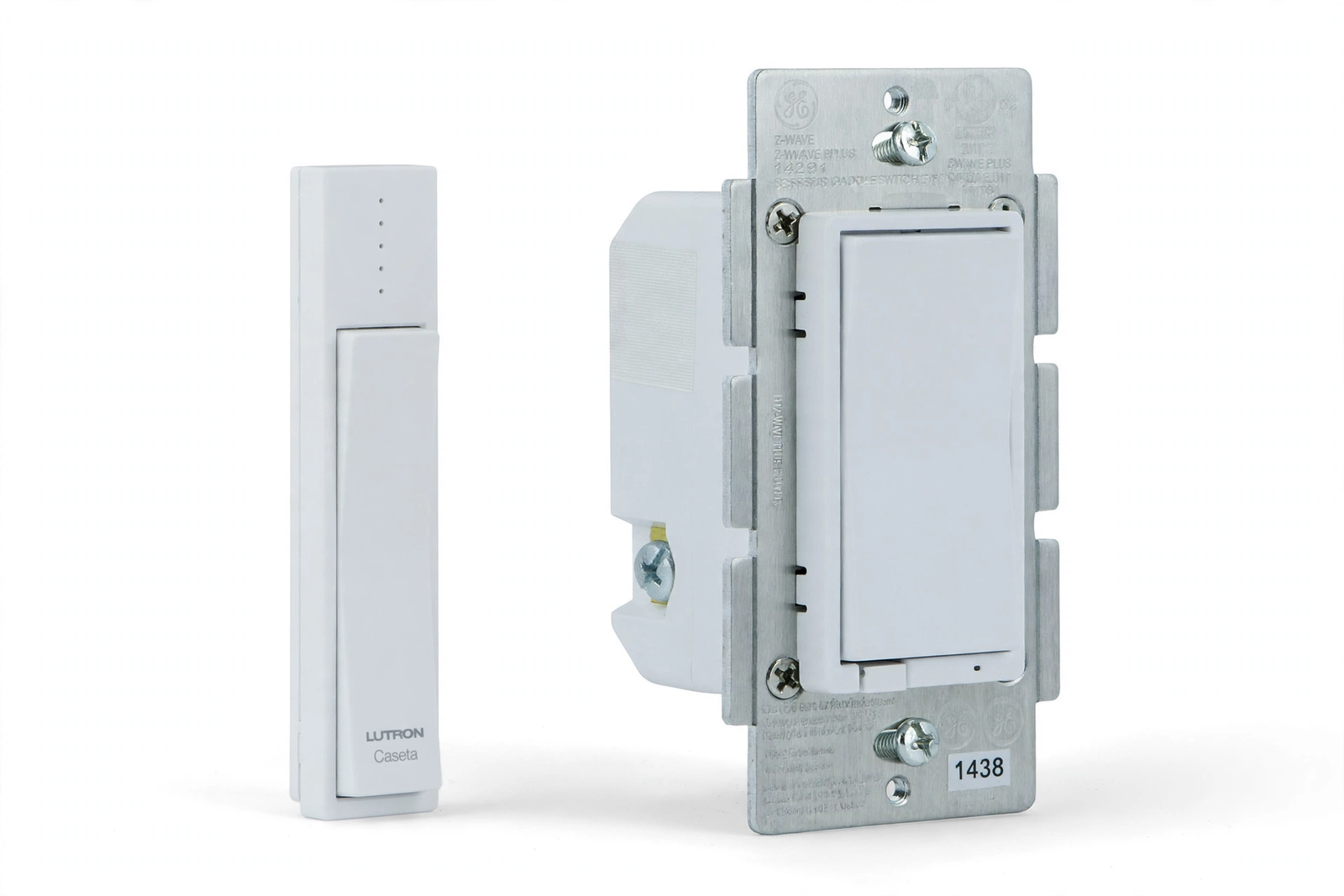
Lutron Caseta switches are among the slimmest smart switches available. They were designed with retrofit installs in mind. The Inovelli Blue series is also relatively compact for a feature-packed Zigbee switch. On the other end, some early-generation Z-Wave switches are notoriously deep.
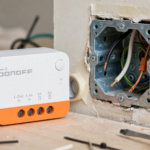
Another option: use an in-wall micro module like the Sonoff ZBMINI or similar Zigbee relay behind your existing dumb switch. These modules are tiny and tuck into the back of the box easily. Your wall switch stays the same, but it becomes smart. This sidesteps the size problem entirely.
Fix 7: Trim the Switch Yoke (Carefully)
This is a last resort, but it works. The yoke is the metal or plastic frame around the switch that screws into the box. On some smart switches, the yoke has breakaway tabs or excess material that can be trimmed.
If the yoke is plastic, you can carefully trim non-structural portions with a utility knife or Dremel. Don’t cut anything that affects the mounting screw holes or the structural integrity. If the yoke is metal, don’t cut it. Metal yokes are often part of the grounding path.
A related trick from pro electricians: remove the yoke ears entirely when using old-work boxes. The ears are designed for new-construction boxes nailed to studs. With old-work boxes, they just get in the way. Snapping them off lets the switch sit flatter.
What NOT to Do
Let’s be clear about what you should never do when a smart switch doesn’t fit.
Don’t force it. If you’re using significant pressure to push the switch in, something is wrong. Forced wires can crack insulation, loosen connections, or press against the metal box in ways that create short circuits.
Don’t skip the ground wire to save space. I’ve seen people suggest this online. It’s dangerous and code-violating. The ground wire is your safety net if something goes wrong inside the switch.
Don’t use electrical tape as a substitute for proper wire connectors. Tape loosens over time, especially in warm boxes. Use proper lever connectors or wire nuts rated for your wire gauge.
Don’t install the switch without a wall plate to “make room.” The wall plate isn’t decorative. It prevents accidental contact with live terminals and contains any arcing.
When to Call an Electrician
Most of these fixes are DIY-friendly, but there are times to bring in a pro. If your box has aluminum wiring, stop and call an electrician. Aluminum requires special connectors and techniques. If you see scorched wires, melted insulation, or smell burning, that’s an immediate electrician call.
Also consider a pro if you need to replace the box but you’re not comfortable working in the wall. An electrician can swap a box in under an hour, and the peace of mind is worth the service call. For context on when smart home electrical work needs professional help, our smart bulb installation guide covers the DIY vs. pro decision in more detail.
FAQs
Why are smart switches so much bigger than regular switches?
Smart switches contain a microcontroller, wireless radio (WiFi, Zigbee, or Z-Wave), a relay for switching, and a power supply to run the electronics. A dumb switch is just a mechanical contact. All those extra components need physical space, making smart switches roughly twice as deep as standard switches.
Can I use a smart switch without a neutral wire to save space?
No-neutral smart switches aren’t smaller, they’re just wired differently. The size difference between neutral and no-neutral models is minimal. However, no-neutral modules like the Sonoff ZBMINI L2 are very compact because they hide behind your existing switch instead of replacing it, which can solve space issues indirectly.
Is it safe to cram a smart switch into a small box?
No. Overcrowded boxes cause wires to press against each other and the box, which can damage insulation over time. Heat also builds up faster in a packed box. The electrical code specifies minimum box volumes for exactly this reason. If it doesn’t fit comfortably, use one of the fixes above instead of forcing it.
What is the minimum box size for a smart switch?
It depends on the switch and wire count, but as a rule of thumb, you want at least 18 cubic inches for a single smart switch with standard wiring. A 22 cubic inch deep old-work box gives comfortable room. Shallow 14 cubic inch boxes from older homes are where most fit problems happen.
Do Wago connectors really save that much space?
Yes, noticeably. A Wago 221 with three wires is about half the volume of an equivalent wire nut connection. Across three or four connections in a box, that adds up to meaningful space savings. They’re also faster to install and more reliable long-term, making them a win on every front.
Can I install a smart switch in a metal box?
Yes, but metal boxes can interfere with wireless signals. WiFi and Zigbee signals get attenuated by the metal enclosure. If your smart switch has connectivity issues in a metal box, consider switching to a plastic old-work box during replacement, or add a Zigbee router device nearby to strengthen the mesh.
Should I replace all my boxes before installing smart switches?
Not necessarily. Try the wire folding and Wago connector fixes first. Only replace the box if those don’t work. That said, if you’re doing multiple switches in an older home with shallow boxes throughout, replacing them all at once is more efficient than fighting each one individually.
Final Thoughts
A smart switch that won’t fit is annoying, but it’s almost always solvable. Start with the free fixes: fold your wires properly and switch to compact connectors. If that doesn’t work, a deeper old-work box is a straightforward upgrade. And if you’re still shopping, pick a slimmer switch or a micro module from the start. For more smart home installation tips, browse our smart home device guides.
The key principle: never force it. A comfortable fit means safe wiring, and safe wiring means you can enjoy your smart home without worrying about what’s happening inside the wall.