

The best wifi extender for gaming is the TP-Link RE715X. It brings WiFi 6 speed, a Gigabit Ethernet port for a wired console, and coverage for a large home. But no extender fixes every setup. Your room, your router, and your placement decide how much lag you cut. Here are five picks that work, and how to set them up.
- How to Pick the Best WiFi Extender for Gaming
- The 5 Best WiFi Extenders for Gaming in 2026
- 1. TP-Link RE715X AX3000: Best Overall
- 2. TP-Link RE815X AX5400: Best Tri-Band
- 3. Netgear Nighthawk EAX80 AX6000: Best for Several Devices
- 4. TP-Link RE653BE BE10000: Best WiFi 7 Pick
- 5. TP-Link RE315 AC1200: Best Budget
- How to Set Up Your Extender for the Lowest Ping
- Extender or Mesh WiFi: Which Wins for Gaming?
- FAQs
- Does a WiFi extender increase ping?
- Is a WiFi extender good for gaming?
- Should I use 2.4 GHz or 5 GHz for gaming?
- Can an extender fix lag from my internet plan?
- Do I need WiFi 7 for gaming?
- Is a wired connection better than an extender?
- Final Takeaway
Watch this review of the RE715X before you buy:
How to Pick the Best WiFi Extender for Gaming
Gaming cares about ping, not peak speed. A competitive shooter uses only 5 to 10 Mbps, so raw speed is rarely the limit. What breaks a match is jitter, the random spikes in delay that make shots land late. So judge an extender by latency first and speed second.
The Ethernet port matters most of all. Plug your console or PC into the extender with a cable, and you remove the wireless hop between the device and the extender. That hop causes most of the lag in a wireless setup. So treat a Gigabit Ethernet port as a must-have, not a bonus feature.
WiFi 6 is the floor for gaming in 2026. It talks to many devices at once with OFDMA and MU-MIMO, and it cuts lag compared with WiFi 5. WiFi 7 goes further with Multi-Link Operation, which bonds bands together for steadier latency. But WiFi 7 only helps when your router and your devices support it too.
Tri-band beats dual-band for serious play. A tri-band extender keeps one radio for the link back to your router, so your game traffic gets its own lane. A dual-band unit shares one radio between the router link and your devices. For ranked play, tri-band is the safer pick.
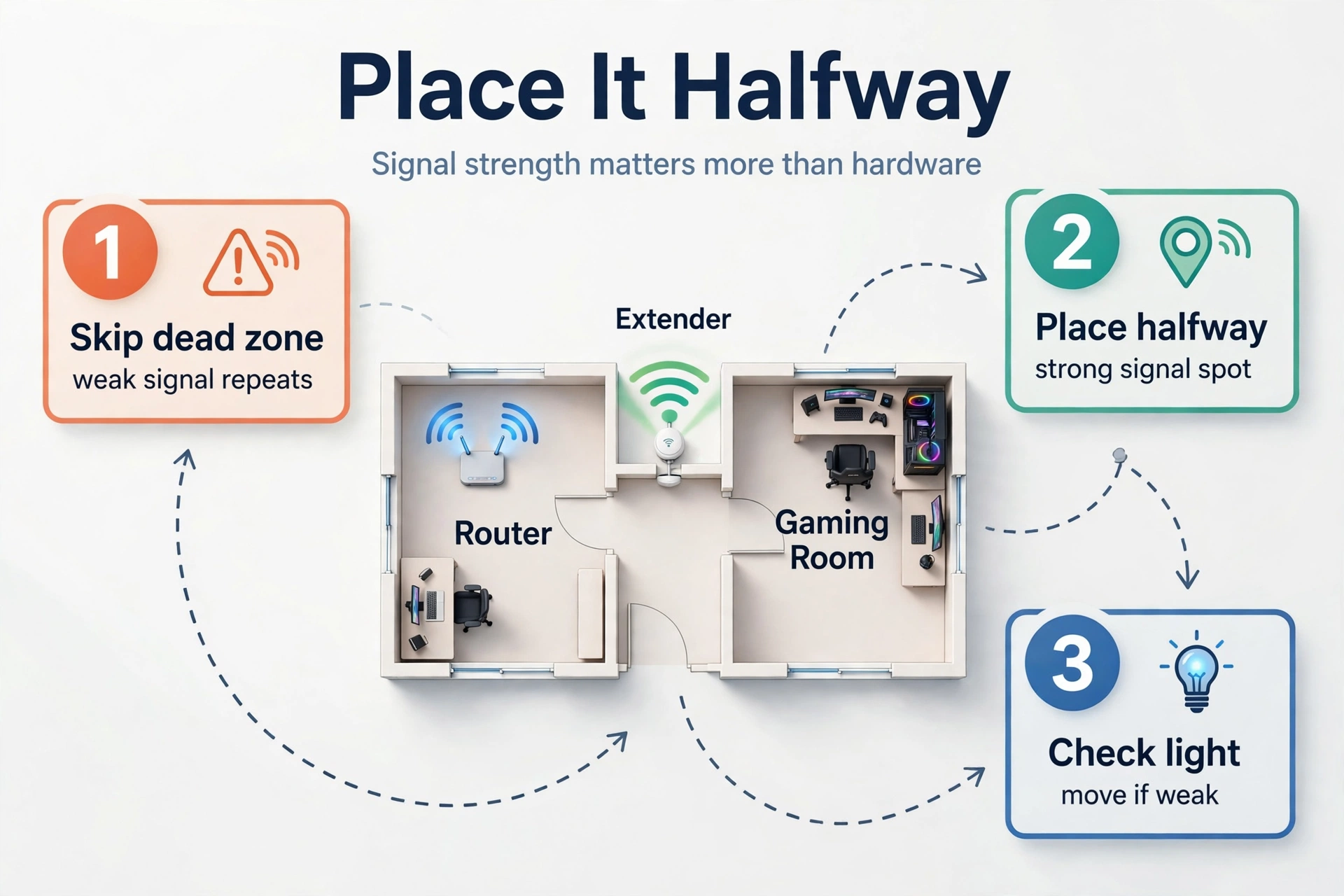
Placement beats hardware every time. An extender sitting in the dead zone only repeats a weak signal, so it cannot fix anything. Put it halfway between your router and your gaming room, where the signal is still strong. Then check the signal light on the unit and move it closer to the router when the light says the signal is weak.
Know what you already own before you spend anything. A weak router or an old modem caps everything downstream, and no extender can raise that ceiling. If you are unsure which box does what in your home, read our guide to the modem vs router first. Then buy the extender that matches the router you have.
Also check how many devices share your network. A house full of phones, TVs, and smart home gear fights your console for airtime. WiFi 6 handles that crowd far better than WiFi 5, because it serves several devices in one transmission instead of one at a time. So a busy smart home needs WiFi 6 at minimum.
Finally, watch the backhaul. The backhaul is the link between the extender and your router, and it carries every packet twice. A weak backhaul adds delay no matter how fast the extender claims to be. That is why a dedicated backhaul radio and a strong signal at the extender matter more than the speed printed on the box.
The 5 Best WiFi Extenders for Gaming in 2026
These five picks cover every budget and every home size. Each one has an Ethernet port, because a wired console is the single biggest win for low ping. We left out cheap single-radio repeaters, since they add 20 to 50 ms of latency and hurt more than they help.
Table: The five best wifi extenders for gaming at a glance.
| Extender | WiFi | Top Speed | Ethernet Port | Best For |
|---|---|---|---|---|
| TP-Link RE715X AX3000 | WiFi 6 | 3 Gbps | 1 Gigabit | Most gamers |
| TP-Link RE815X AX5400 | WiFi 6 | 5.4 Gbps | 1 Gigabit | Ranked play |
| Netgear Nighthawk EAX80 | WiFi 6 | 6 Gbps | 4 Gigabit | Several devices |
| TP-Link RE653BE | WiFi 7 | 10 Gbps | 1 x 2.5 Gbps | Future-proofing |
| TP-Link RE315 AC1200 | WiFi 5 | 1.2 Gbps | 1 x 100 Mbps | Tight budgets |
1. TP-Link RE715X AX3000: Best Overall
The RE715X is the pick for most gamers. It is a dual-band WiFi 6 extender with speeds up to 3 Gbps, split as 2,402 Mbps on 5 GHz and 574 Mbps on 2.4 GHz. It also carries a Gigabit Ethernet port, so you can wire your console straight into it. And it covers a large home, rated for around 2,500 square feet.
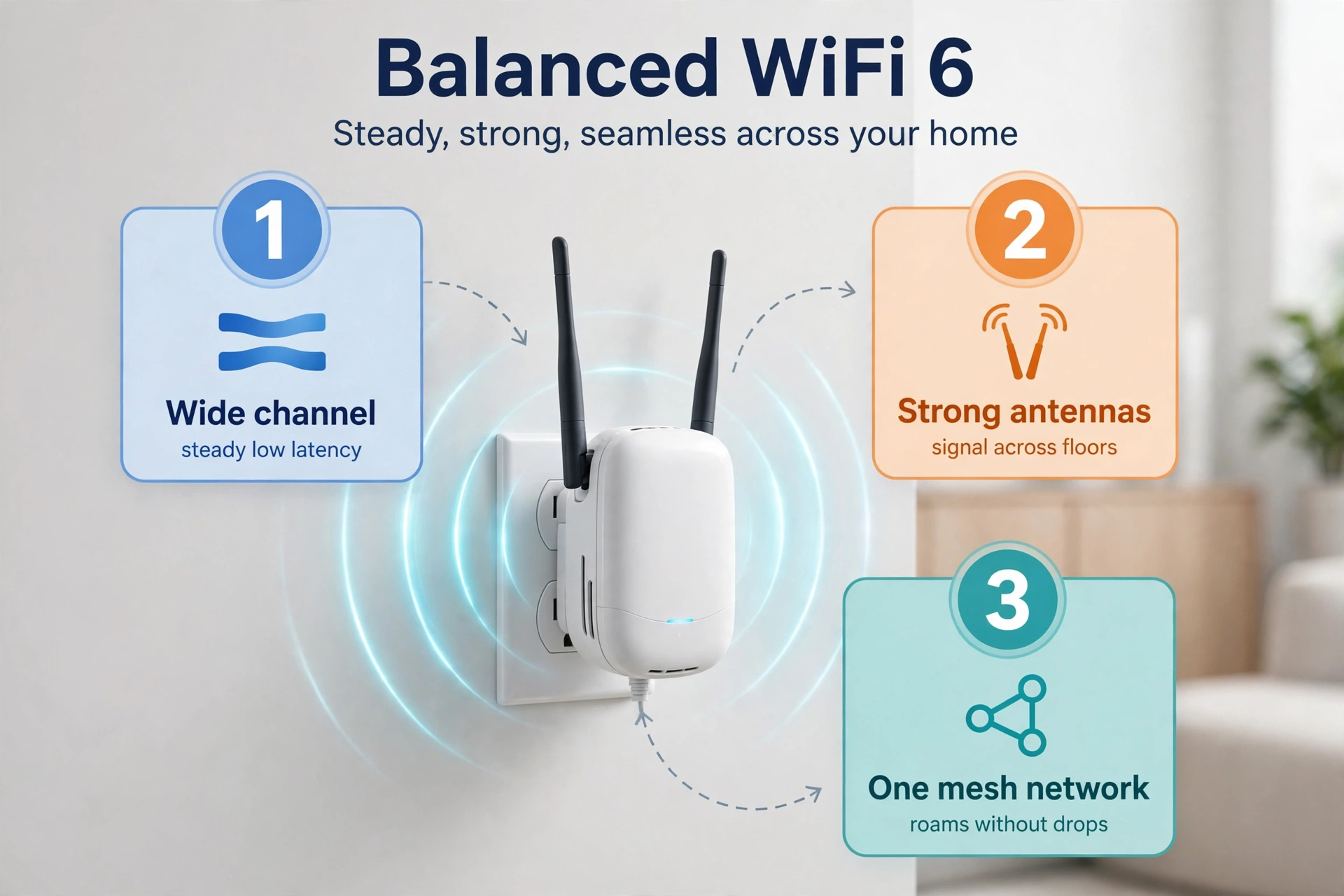
What sets it apart is balance. The 160 MHz channel width on 5 GHz doubles the usual 80 MHz lane, which keeps latency steadier when the house is busy. Two external antennas and four amplifiers hold the signal across floors. Then EasyMesh lets it join a TP-Link mesh router as one network, so your phone roams without drops.
Setup takes minutes in the Tether app. You plug it in halfway to your gaming room, pick your network, and the app guides you through the rest. If you want the full spec sheet, check the official TP-Link RE715X page. For most homes, this is where the search ends.
2. TP-Link RE815X AX5400: Best Tri-Band
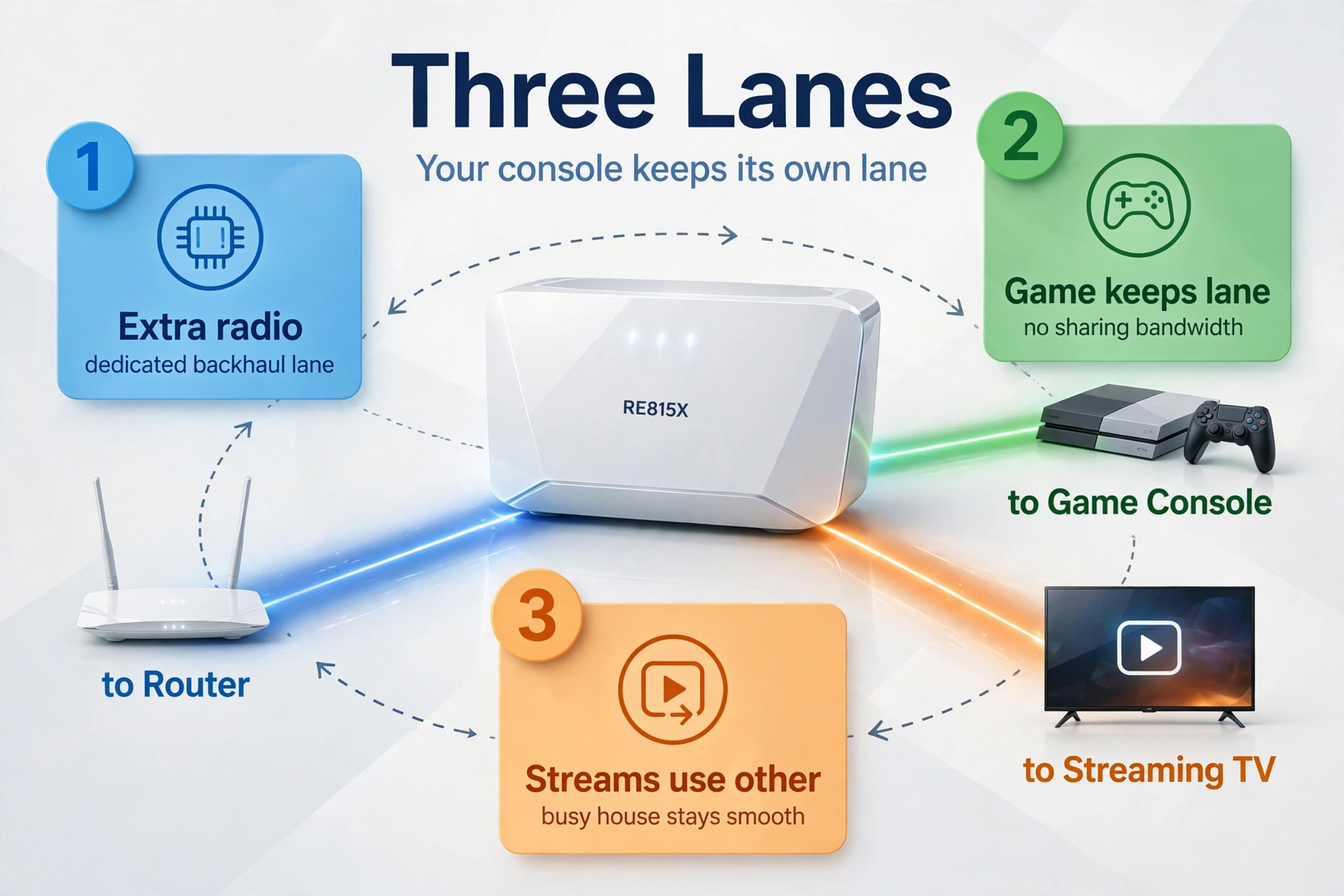
The RE815X is the tri-band step up. It adds a second 5 GHz radio and uses it only for the backhaul to your router. That means your console never shares bandwidth with the link back to the router. So in a busy house, your game keeps its own lane while streams and downloads use the other radios.
Total speed reaches 5.4 Gbps across its three bands. It also has a Gigabit Ethernet port for a wired console or PC. The unit is larger than the RE715X, since three radios need more room and cooling. Still, it plugs into a wall outlet and needs no shelf space.
Buy this one when ranked play matters and the house is always busy. Casual players will not feel the difference over the RE715X. But if someone streams 4K downstairs while you play upstairs, the dedicated backhaul earns its keep every night.
3. Netgear Nighthawk EAX80 AX6000: Best for Several Devices
The EAX80 is built for a room with more than one wired device. It carries four Gigabit Ethernet ports, so you can plug in a console, a PC, a smart TV, and a streaming box at once. No other pick here wires that many devices without a separate switch.
Speed reaches 6 Gbps across its dual-band WiFi 6 radios. It also supports 160 MHz channels on 5 GHz, which helps latency when paired with a router that supports the same width. The Nighthawk app handles setup, and the unit works with any router brand, not just Netgear.
The trade-off is size and price. It is a desktop-style unit, so it needs a shelf or a table near an outlet. Still, for a shared gaming room or a home office that doubles as a gaming den, four wired ports beat buying extra gear.
4. TP-Link RE653BE BE10000: Best WiFi 7 Pick
The RE653BE is the future-proof choice. It is a tri-band WiFi 7 extender with total speeds up to 10 Gbps and a 2.5 Gbps Ethernet port. That port is twice as fast as the Gigabit port on the other picks, so it suits multi-gig internet plans and next-gen consoles.
WiFi 7 adds Multi-Link Operation, which lets a device connect on several bands at once. When one band hits interference, traffic shifts to another without a pause. The result is lower latency and almost no jitter. So this is the pick when your router already runs WiFi 7 and you want the extender to match it.
It costs more than the WiFi 6 picks, and it only shines with a WiFi 7 router behind it. If your router is still WiFi 6, save the money and buy the RE715X instead. But when your whole setup is WiFi 7, our guide to the best WiFi 7 router explains what to pair it with.
5. TP-Link RE315 AC1200: Best Budget
The RE315 is the cheapest way into a wired gaming setup. It is a dual-band WiFi 5 extender with speeds up to 1.2 Gbps, split as 867 Mbps on 5 GHz and 300 Mbps on 2.4 GHz. It has one Ethernet port, so you can still wire your console and skip the wireless hop.
Watch one catch before you buy. Its Ethernet port runs at 100 Mbps, not Gigabit, so a wired console tops out at 100 Mbps. That is still plenty for online play, since games use so little bandwidth. But when your internet plan is faster than 100 Mbps, the 5 GHz wireless band often beats the wired port on speed.
Buy it for a single console in a far room on a basic plan. Skip it for ranked play or a house full of gamers, since WiFi 5 shares airtime poorly and adds more lag. For a few dollars more, the RE715X is a far better long-term buy.
How to Set Up Your Extender for the Lowest Ping
Start with a simple test that tells you the truth about your network. Run a ping test three times and write down each number. First, stand next to your router and test. Next, test on WiFi through the extender in your gaming room. Then plug a cable into the extender and test again. Those three numbers show exactly what the extender costs you, and whether your placement is right.
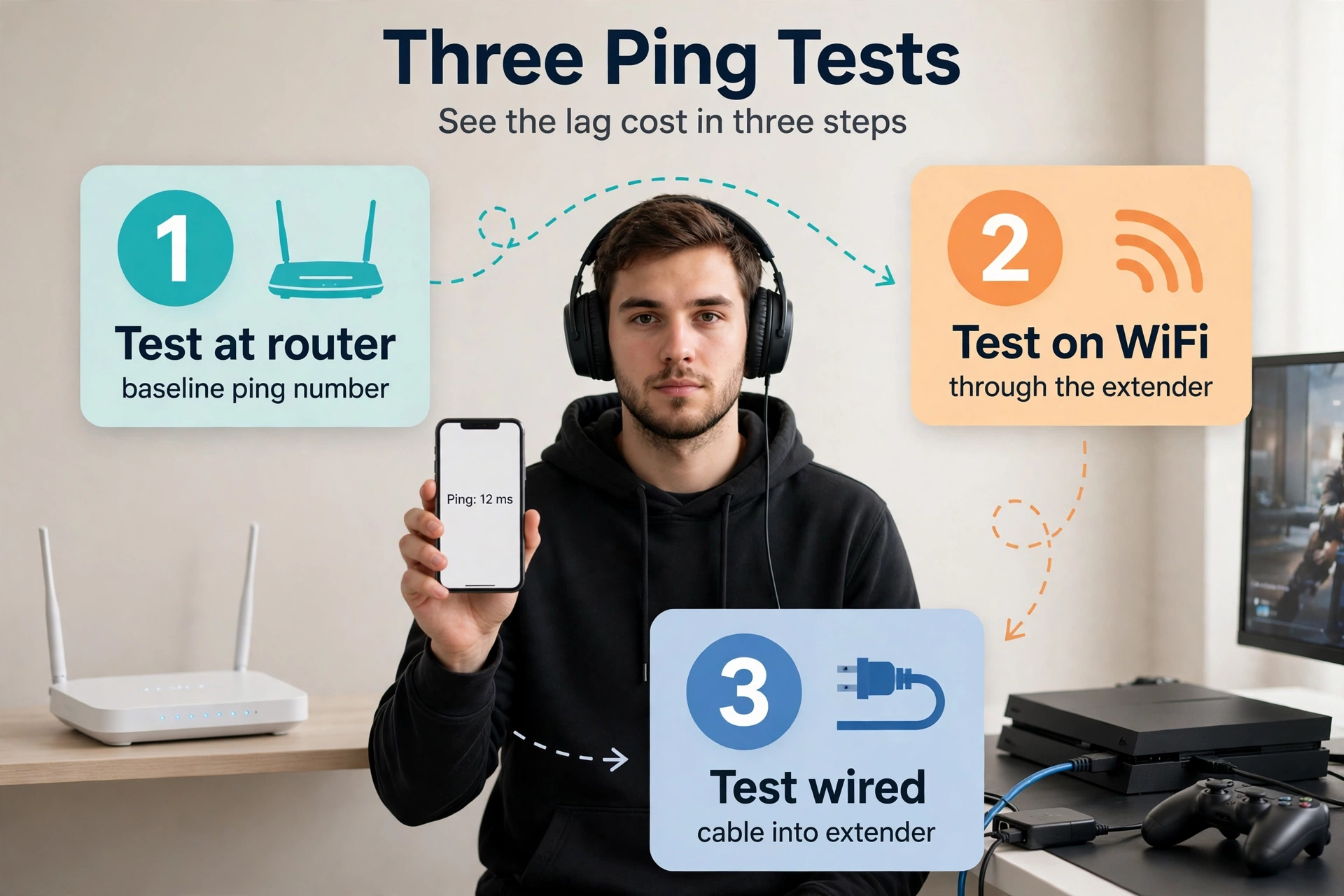
If the wired number sits close to the router number, your setup is good. When the wireless number jumps 20 ms or more above the router number, move the extender closer to the router and test again. This three-number check takes five minutes, and it beats guessing.
- Place the extender halfway between your router and your gaming room, where the signal light shows a strong link.
- Use the 5 GHz band for the backhaul to your router, and keep 2.4 GHz for smart home devices that sit far away.
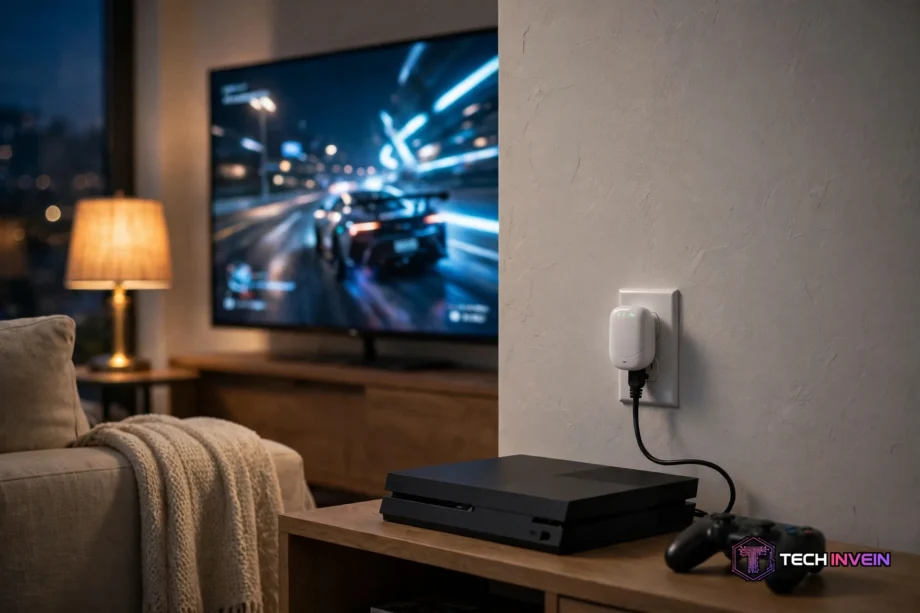
- Plug your console or PC into the extender with a cable, so the last hop is wired and steady.
- Turn on 160 MHz channel width on both the router and the extender, when both support it.
- Give your gaming devices their own network name on 5 GHz, so phones and TVs do not crowd the same band.
A cable makes the biggest single difference. Even a short run from the extender to your console removes wireless jitter from the last stretch. So use a proper gaming-grade cable, not a random old one from a drawer. Our guide to the best Ethernet cable for gaming shows which specs actually matter and which ones are just marketing.
Then test again after every change. Move the extender, run the three-number test, and keep the spot with the lowest wired ping. Small moves of a few feet can change the result, since walls and mirrors block WiFi in ways you cannot see. So treat placement as a test, not a guess.
Also consider access point mode when you can run a cable. If you can get one Ethernet cable from your router to the extender spot, the extender stops repeating wirelessly and becomes a wired access point. That removes the wireless relay penalty completely. Our home network installation guide walks through running that cable cleanly through a home.
Extender or Mesh WiFi: Which Wins for Gaming?
An extender fixes one room. A mesh system fixes the whole home. When only your gaming room has weak signal, an extender is cheaper and faster to set up. You plug it in, wire your console, and you are done in ten minutes.
Mesh wins when several rooms need help. Its nodes share one network name, hand your devices over smoothly as you move, and can use a wired backhaul between nodes. That matters when two people game in different rooms, or when you play on a handheld around the house.
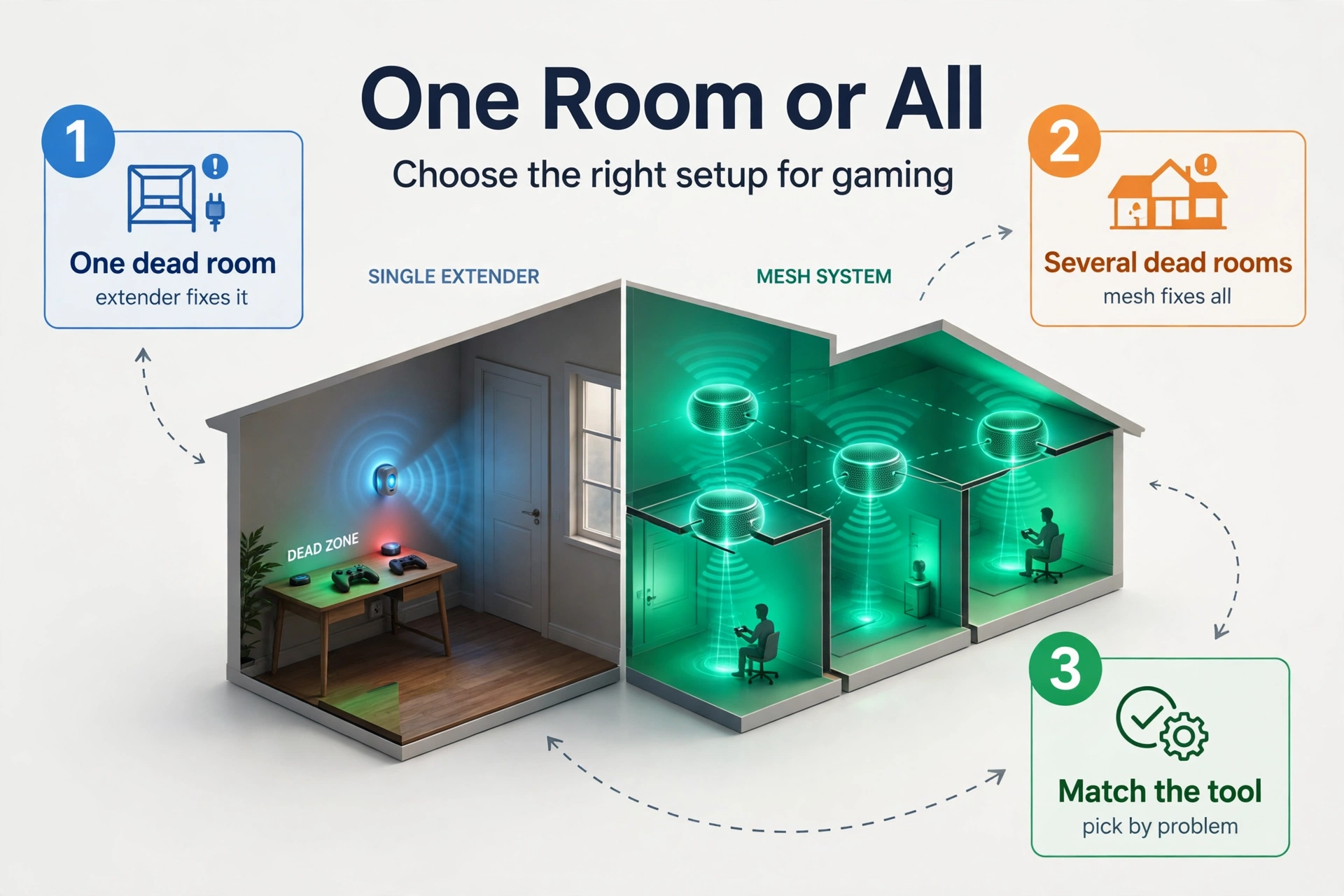
Mesh also costs more, since you buy two or three nodes instead of one box. So match the tool to the problem. One dead room means extender. Several dead rooms mean mesh. And when your PC still lags after the extender is in place, check the PC itself. An old WiFi card can cap everything, and a modern USB WiFi adapter often fixes that for less than a new extender.
FAQs
Does a WiFi extender increase ping?
Yes, it can. An extender receives each packet and sends it on again, and that extra hop adds delay. A cheap single-radio repeater can add 20 to 50 ms, which ruins ranked play. A modern WiFi 6 extender with a wired console usually adds only a few ms, so place it well and plug in by cable.
Is a WiFi extender good for gaming?
Yes, for casual play in a far room, when the extender sits in a good spot and the console plugs in by cable. It fixes coverage, not speed, so it helps when the problem is a weak signal. For ranked play, a wired connection to the router or a mesh system with wired backhaul is better.
Should I use 2.4 GHz or 5 GHz for gaming?
Use 5 GHz for gaming. It carries more speed and less interference than 2.4 GHz, so your ping stays lower and steadier. The trade-off is range, since 5 GHz fades faster through walls. So keep 2.4 GHz for smart home devices and far rooms, and reserve 5 GHz for your console, PC, and phone.
Can an extender fix lag from my internet plan?
No. An extender only improves the wireless link inside your home. When lag comes from a slow plan, a busy network, or your provider, an extender will not change it. Test with a cable straight into the router first. When the ping is still high there, the problem sits outside your home, not in your WiFi.
Do I need WiFi 7 for gaming?
No, WiFi 6 is enough for gaming today. Online games use little bandwidth, so WiFi 6 speed already leaves plenty of headroom. WiFi 7 helps when your router, extender, and devices all support it, since Multi-Link Operation steadies latency further. But buying WiFi 7 gear for a WiFi 6 router wastes money.
Is a wired connection better than an extender?
Yes, a wired connection is always better for gaming. A cable has no wireless hop, no interference, and no jitter, so ping stays low and steady. An extender with a cable into your console is the next best thing. So run a cable when you can, and use the extender to bring that wired point closer.
Final Takeaway
For most gamers, the TP-Link RE715X is the right buy. It brings WiFi 6, a Gigabit port, and steady coverage at a fair price. Place it halfway to your gaming room, plug your console in by cable, and run the three-number ping test. When the wired number sits close to your router number, you are done. And if your whole home needs help instead of one room, a mesh system is the next step.