
The Bosch dishwasher app is the Home Connect app, and it lets you control a compatible Bosch dishwasher from your phone. You can start a cycle, check time left, get a done notice, and pick extra cycles not on the panel. If your dishwasher shows Home Connect on its label, this app is its remote control.
- What the Bosch Dishwasher App Actually Does
- How to Set Up the Bosch Dishwasher App
- Everyday Features Worth Using
- Smart Dishwashing and the Rest of Your Kitchen
- Troubleshooting the Bosch Dishwasher App
- Privacy, Security, and Voice Control
- Frequently Asked Questions
- What is the Bosch dishwasher app called?
- Do all Bosch dishwashers work with the app?
- Why will my Bosch dishwasher app not start a cycle?
- Can I use the Bosch dishwasher app away from home?
- Does the Bosch dishwasher app cost money?
- Is the Bosch dishwasher app worth using?
- Conclusion
Why would you want an app for a dishwasher? After all, you load it and press start. The gain shows up in small moments. You start a cycle from the sofa after dinner. You get a ping instead of checking the door. You delay a wash to off peak hours without walking to the kitchen. None of these change how clean dishes get. They change how little you have to think about it.
Do you need the app to use the dishwasher? No, you do not. Every Bosch dishwasher still works from its panel. The app adds remote control, extra programs, and alerts. If you like simple routines, you may use it twice a week. If you run a busy home, you may open it daily. Either way is fine.
What the Bosch Dishwasher App Actually Does
Home Connect is Bosch’s app for connected appliances, and the dishwasher version focuses on cycles, status, and care. From the home screen you can see if the machine is running, paused, or done. You can start or pause a cycle when Remote Start is on. You can also see remaining time, which beats guessing from a quiet machine.
The app unlocks extra cycles on many models. On the panel you may see Heavy, Auto, Normal, Speed60, and Favorite. In the app you may find Delicate, Rinse, and MachineCare on some models. That matters for glasses you want to treat gently, or for a quick rinse when dishes will sit before a full wash. Check your model page, since exact cycles vary by model.
Smart Cycle, also called the wash assistant on some models, asks a few questions about the load and soil level, then suggests a program. It is useful when you are unsure. A load of greasy pans needs a different plan than a load of light glasses. The assistant removes that guess, and over time you learn which suggestion fits your home.
Notifications are the quiet win. The app can tell you when a cycle ends, when salt or rinse aid runs low, and when it is time for a maintenance wash. Those pings stop two common problems. Dishes left damp in a closed machine, and a machine that slowly loses performance because no one ran a clean cycle.
How to Set Up the Bosch Dishwasher App
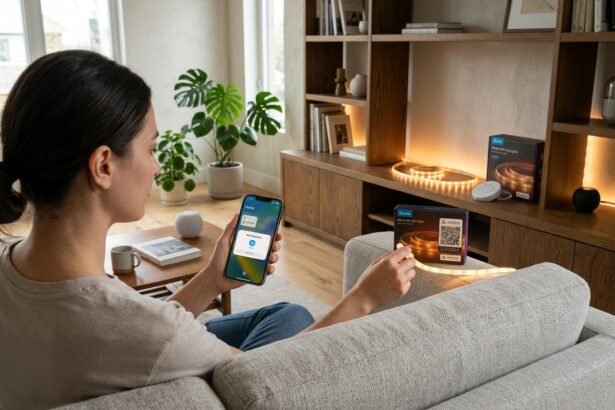
Setup takes about ten minutes when Wi-Fi is strong near the dishwasher. Start by downloading Home Connect from your phone app store. Create an account, or sign in if you already use Home Connect for another Bosch appliance. Keep your dishwasher model number handy, since the app may ask for it during pairing.
On the dishwasher, open the Home Connect setup as your manual shows. Many models ask you to scan a QR code on the appliance or in the manual. Others use a button press to start pairing. Follow the steps in the app, join your home Wi-Fi, and wait for the confirmation screen. Do not rush this step. A rushed pairing is the main cause of a failed first try.
- Download Home Connect and create or sign in to your account.
- Put your phone near the dishwasher and check that Wi-Fi reaches the kitchen well.
- Start pairing from the dishwasher panel or QR code as your manual shows.
- Follow the app steps to join Wi-Fi and name your dishwasher.
- Turn on Remote Start on the dishwasher if you want to start cycles from the app.
- Run a short test cycle while you are home and watch the app status update.
One detail catches many people out. Remote Start must be on at the machine for the app to start a cycle. This is a safety step, not a bug. It means you have loaded the machine, closed the door, and said yes to remote control. If Remote Start is off, the app can still show status and send alerts, but it will not start a wash.
Wi-Fi band matters too. Many home appliances use 2.4 GHz Wi-Fi, which travels through walls better than 5 GHz. If your router joins both bands under one name, the app may still work, but a weak kitchen signal can cause drops. I moved a mesh node six feet closer to my kitchen during a test setup, and pairing that had failed twice then worked on the first try. That small move fixed the whole job.
Everyday Features Worth Using
Favorite cycles save time for repeat loads. If you often run the same mix, such as Auto with Extra Dry, save it as a Favorite. Next time you tap once instead of picking each option. Families with a set routine love this, since the same load pattern repeats most nights.
Delay Start, now called Smart Start in newer Home Connect versions, lets you set a wash up to 24 hours ahead on supported models. You can load after dinner and run the wash late at night. That helps if your energy rates drop at night, and it keeps the kitchen quiet during the evening. Check your model, since the exact window varies.
Consumption stats show water and energy use per cycle on supported models. You do not need to study them daily. A quick look once a month tells you if a heavy cycle is creeping into daily use when a normal cycle would do. Small shifts like that save water and money without any loss in cleaning.
Remote diagnostics help when something feels wrong. With your permission, Bosch support can check the appliance online and point to a likely fault before a visit. That can save a wasted callout, or help a technician bring the right part first time. You stay in control, since diagnostics need your consent.
Smart Dishwashing and the Rest of Your Kitchen
A dishwasher app works best when the rest of the kitchen is in good shape. Clean filters, correct salt and rinse aid levels, and sensible loading matter more than any app feature. The app can remind you about care, but it cannot fix a blocked spray arm. A five minute filter rinse each month keeps results steady.
Loading still decides the result. Face soiled sides toward spray arms, leave space between items, and keep tall items from blocking the arms. The app Smart Cycle can pick a program, but it cannot see a bowl stacked inside another bowl. Good loading plus a good program gives the clean result people expect from Bosch.
If you are building a wider smart kitchen, the dishwasher is an easy second step after an oven or fridge. It shares the same Home Connect app as other Bosch appliances, so you do not add a new account for each machine. That single app habit is a real plus in a home that already juggles too many logins.
Table: Bosch dishwasher app features at a glance
| Feature | What it does | When it helps most |
|---|---|---|
| Remote Start | Starts or pauses a cycle from your phone | After dinner, from another room |
| Extra cycles | Adds Delicate, Rinse, and MachineCare on some models | Glasses, quick rinses, care washes |
| Smart Cycle | Suggests a program from load and soil questions | When you are unsure which cycle fits |
| Favorite | Saves a cycle plus options for one tap use | Repeat family loads each night |
| Alerts | Notices for done, low salt, and care | Busy homes that forget to check |
Troubleshooting the Bosch Dishwasher App
App not finding the dishwasher is the top complaint. First, check that your phone is on the same home Wi-Fi network you want the dishwasher to join. Second, move closer to the dishwasher during pairing. Third, restart the app and try again. If pairing still fails, check the manual for a reset step for your model, since steps differ.
If the app shows the dishwasher offline, check Wi-Fi in the kitchen first. A router reboot fixes many brief drops. If only the dishwasher is offline, check that it still has power and that no one turned off its Wi-Fi at the panel. Rejoining Wi-Fi through the app setup usually restores the link without losing your saved favorites.
If Remote Start will not work, look at the panel, not just the app. Remote Start may have timed out or been switched off after a cycle. Turn it on again, close the door fully, and try from the app. That single check solves most Remote Start complaints, and it is easy to miss when you expect the app to do everything.
When cycles look different from a friend’s model, do not assume a fault. Bosch offers different cycles by model, region, and software version. Check the current model page on the manufacturer’s site for your exact machine. That page is the honest source, and it stops you chasing a feature your model never had.
Privacy, Security, and Voice Control
Home Connect accounts need a strong password and, where offered, two step sign in. Keep the app updated, since updates fix bugs and security gaps. If you sell or give away the dishwasher, remove it from your account and reset its network settings. That stops the next owner from seeing your home setup.
Voice control works through Alexa or Google Home on supported models, but Remote Start must be active first. You can ask for status or start a cycle with a voice command. Keep commands simple and test them while you are home first. Voice is a bonus, not a replacement for the app when you need to pick a detailed cycle.
You may wonder if the app tracks too much. It tracks cycles, consumption on supported models, and alerts you chose. Turn off alerts you do not need, and review app permissions on your phone once in a while. A tidy permission list keeps a useful app from feeling nosy.
Frequently Asked Questions
What is the Bosch dishwasher app called?
The Bosch dishwasher app is called Home Connect. It is the same app Bosch uses for other connected appliances, so one account can cover a dishwasher, oven, or fridge if they support it. Download Home Connect from your phone app store, then add your dishwasher by following the pairing steps in the app.
Do all Bosch dishwashers work with the app?
No, only models with Home Connect and Wi-Fi work with the app. Check the model label, the product page, or the manual for Home Connect before you assume it connects. Older or basic models may wash very well but offer no app control, and that is fine if you prefer panel control.
Why will my Bosch dishwasher app not start a cycle?
Remote Start is the most common cause. It must be switched on at the dishwasher, the door must be closed, and the machine must be ready. If Remote Start timed out after a cycle, turn it on again and retry. Also check Wi-Fi, since the app cannot reach an offline machine even when the panel works.
Can I use the Bosch dishwasher app away from home?
Yes, you can check status and, with Remote Start on, start or pause a cycle from away from home on supported models. That is useful when you load the machine before leaving and want it to finish near your return. Make sure the load is safe to run while you are out, and the door is fully closed.
Does the Bosch dishwasher app cost money?
Home Connect access for core dishwasher features is free, based on Bosch’s own description of the app. Some models or regions may offer extra services, so check the current app listing and your model page before you buy. Do not pay a third party app that claims to unlock Bosch features for a fee.
Is the Bosch dishwasher app worth using?
It is worth using if you value finish alerts, extra cycles, and remote start. It is less vital if you always run the same cycle from the panel and never check your phone. Try it for two weeks, keep only the alerts you act on, and judge it by whether it saves you trips to the kitchen.
Conclusion
The Bosch dishwasher app, Home Connect, turns a good dishwasher into a quieter part of your routine. Set it up once, turn on Remote Start, save a Favorite, and keep only the alerts you use. Your next step is simple. Check your model for Home Connect, download the app, and run one test cycle while you are home.